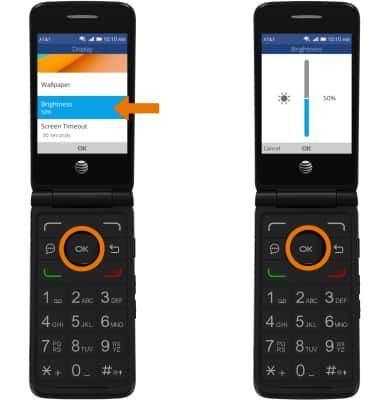
Change the display time out and brightness.
-
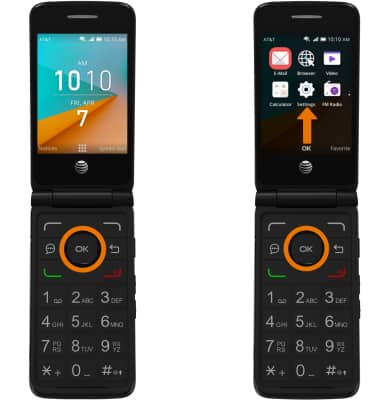
ADJUST SCREEN TIMEOUT: From the home screen, press the OK button. Press the directional buttons to navigate to and highlight the Settings app, then press the OK button.
-
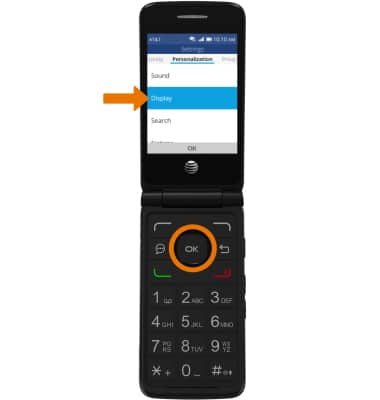
Navigate to the Personalization tab, then navigate to and select Display.
-
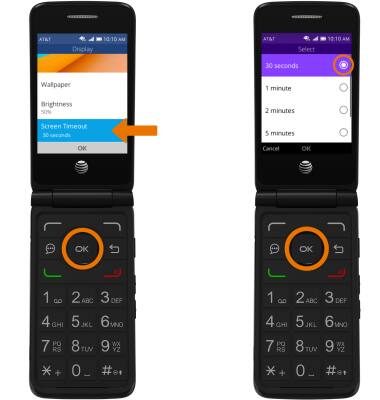
Navigate to and select Screen Timeout, then select the desired timeout option.
-
ADJUST BRIGHTNESS: From the Display screen, navigate to and select Brightness then press the up and down directional buttons to adjust the brightness as desired.