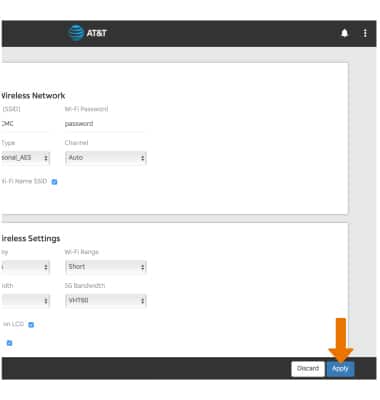
Tips and tricks to extend your battery performance.
-
From your device's web browser, go to http://attwifimanager. Enter your Username and Password, then click SIGN IN.
Note: Ensure that your device is connected to the Netgear Nighthawk's Wi-Fi network. For more information, please see the Connect Devices to Wi-Fi or Connect PC or Mac to Wi-Fi tutorials.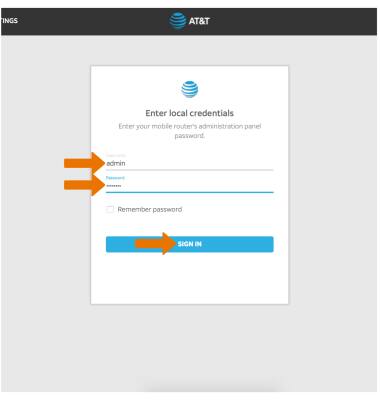
-
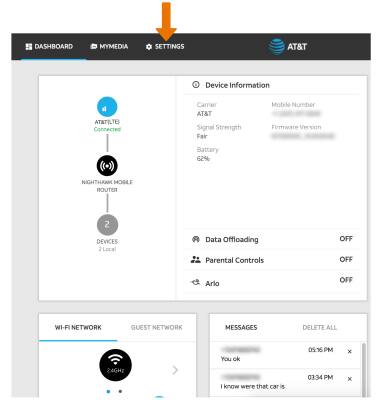
Click SETTINGS at the top of the page.
-
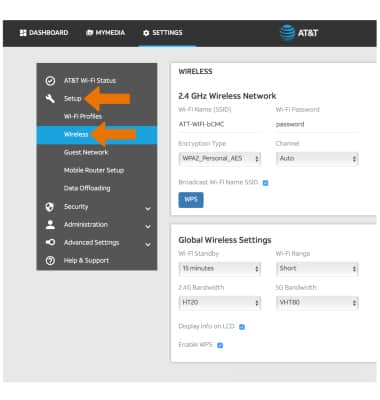
Click Setup, then click Wireless.
-
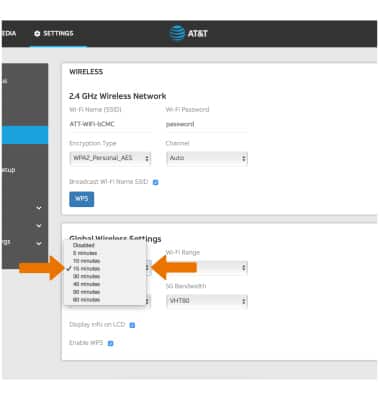
ADJUST WI-FI STANDBY TIME: Scroll to and click the Wi-Fi Standby drop-down menu, then click the desired option.
-
ADJUST WI-FI RANGE: Click the Wi-Fi Range drop-down menu, then click the desired option.
Note: The Netgear Nighthawk consumes more power as the range of its Wi-Fi network is increased.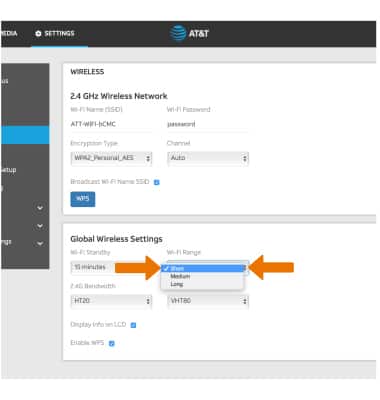
-
Click Apply when finished.