Determine your current device software version and check for updates.
-
From your device's web browser, go to http://attwifimanager. Enter your Admin Password, then click Login
Note: Ensure that your device is connected to the AT&T Unite Express 2's Wi-Fi network. For more information, please see the Connect Devices to Wi-Fi or Connect PC or Mac to Wi-Fi tutorials.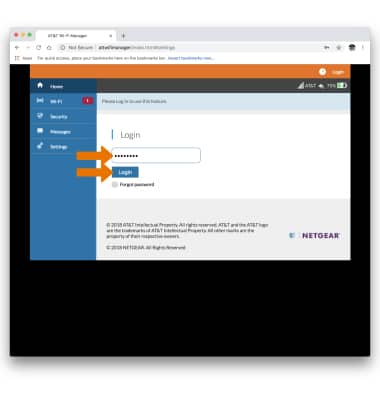
-
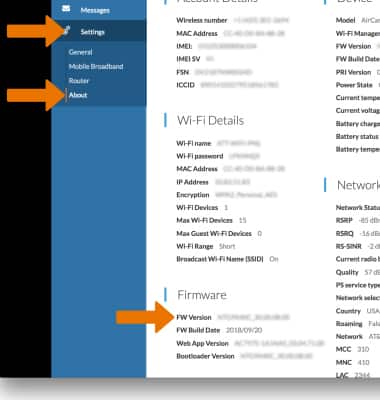
Click Settings then click About. The Software Version will be displayed.
-
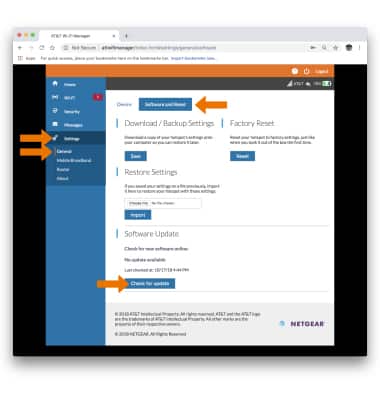
Click Settings then click General. Click the Software and Reset tab, then click Check for update to check for updates.
Note: If an update is available, follow the on-screen instructions to perform the update.