In this tutorial, you will learn how to:
• Access the management website
• View connection information
• View device information
Access the management website
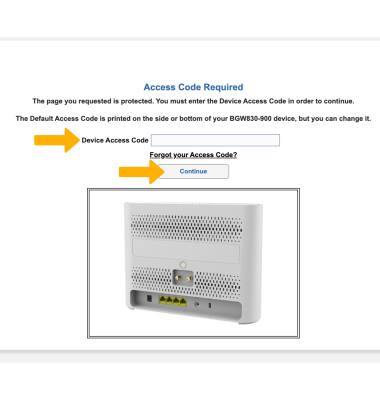
From your device’s web browser, go to https://192.168.1.254. Enter your Device Access Code, then click Continue.
Note: Ensure that your device is connected to your AT&T BGW830's Wi-Fi network. For more information, please see the Connect Devices to Wi-Fi or Connect PC or Mac to Wi-Fi tutorials. If this is your first time logging into the Web UI, use the default access code printed on the label on the back of the device.
View connection information
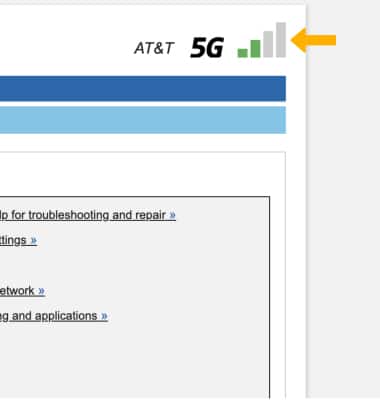
Your cellular signal strength will be displayed in the upper right corner of the Web UI dashboard.
View device information
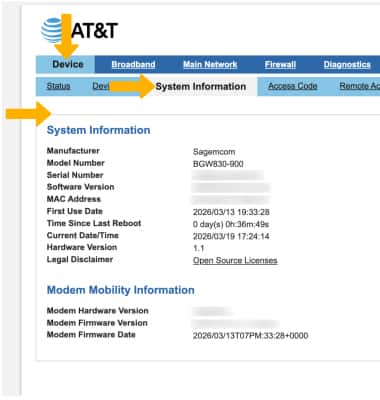
From the Web UI dashboard, ensure that the Device tab is highlighted then click System Information. The device's information will be displayed.