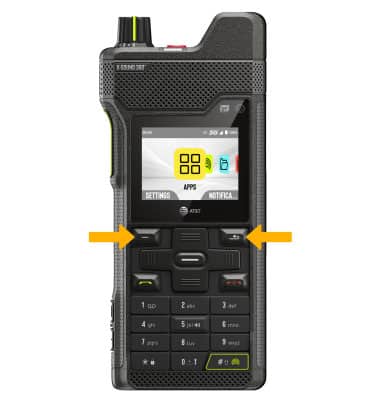
Learn how to access and customize the programmable buttons.
In this tutorial, you will learn how to:
• Access and customize Programmable button
• Use Programmable button
Access and customize Programmable button
- From the home screen, press the right navigation key to highlight the
 Settings app, then press the Select button to select.
 - Press the navigation keys then press the Select button to select Customization > Buttons > Top menu favorite apps.
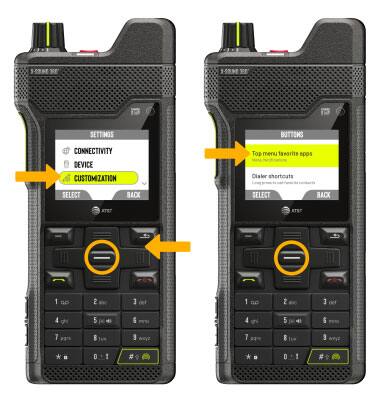
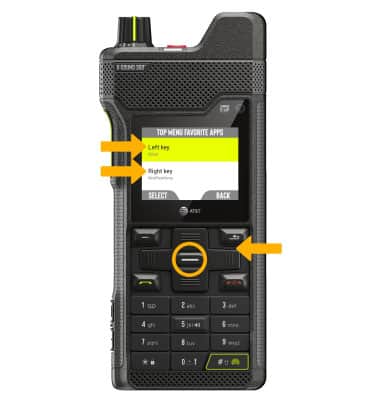
3. Press the navigation keys to highlight Left key or Right key, then press the Select button.
Note: For this tutorial, Left key was chosen.
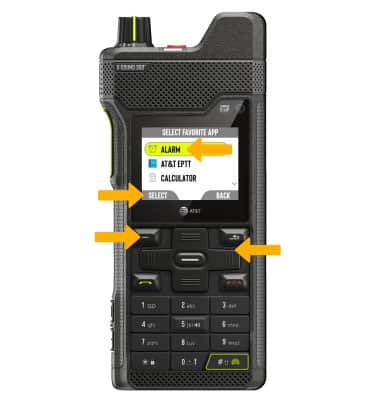
4. Press the navigation keys to highlight the desired app to assign to the programmable button. Press the Left Dynamic Key to select Select.
Use Programmable button
To use, from the home screen, press the Left key or Right key to launch an app.