View the device IMEI, phone, and serial number.
In this tutorial, you will learn how to:
• View Phone number and IMEI from the watch
• View Serial number from the watch
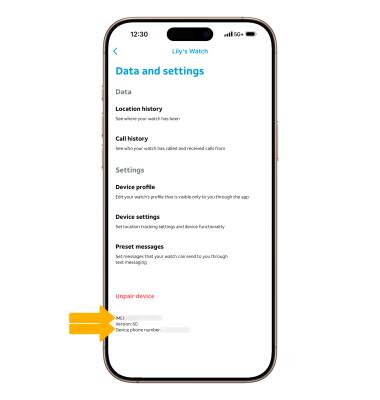
• View Phone number and IMEI from the AT&T amiGO™ app
View Phone number and IMEI from the watch
- From the Clock screen, swipe left four times then select the
 Settings app.
 - Scroll to and select About.
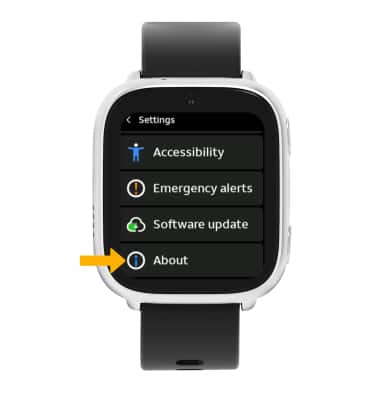
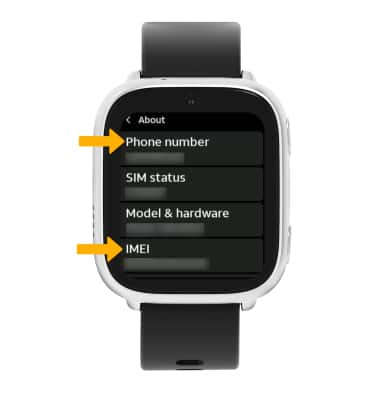
3. Scroll to view the Phone number and IMEI.
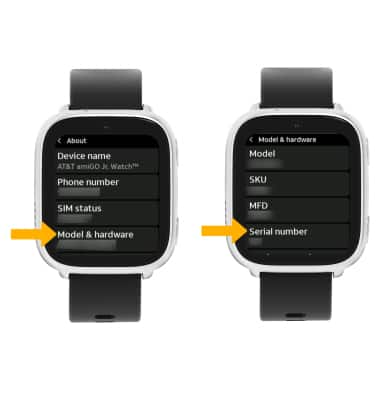
View Serial number from the watch
1. From the About screen, select Model & hardware. The Serial number will be displayed.
View Phone number and IMEI from the AT&T amiGO™ app
1. From your connected smart phone, navigate to and select the

AT&T amiGO™ app. Select the desired device, then select the Settings icon.
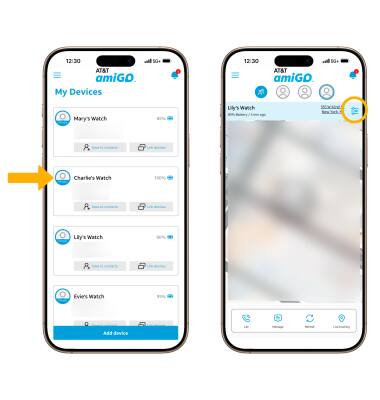
2. The device’s IMEI and Phone number will be displayed at the bottom of the screen.