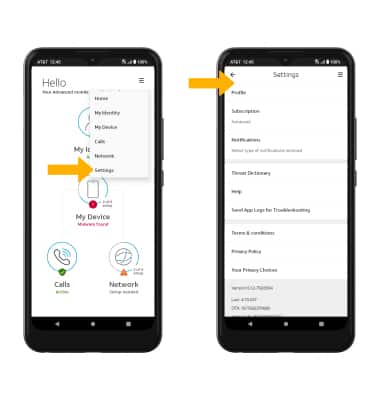
Learn how to set up AT&T ActiveArmor Mobile Security for an HD Voice-capable smartphone on your AT&T wireless account.
Depending on your device, you may need to download the app from the Google Play Store. View the Download Apps & Games tutorial to learn how to download an app onto your device.
In this tutorial, you will learn how to:
• Access call protect
• Block a number
• Access settings
Access call protect
1. Navigate to and select the

AT&T ActiveArmor Mobile Security app.
Note: AT&T ActiveArmor Mobile Security allows you to automatically block fraudulent calls, warns you about phone spam, and temporarily blocks unwanted calls.
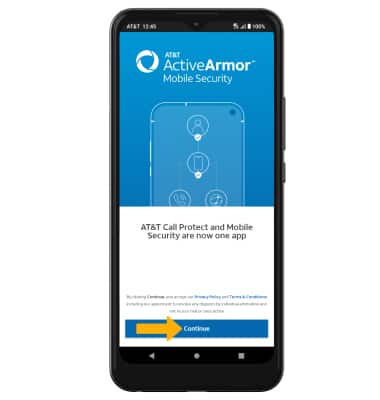
2. Select Continue.
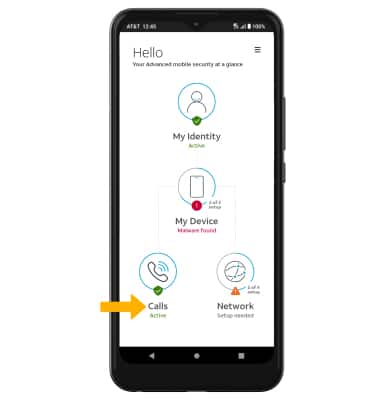
2. Select Calls.
Block a number
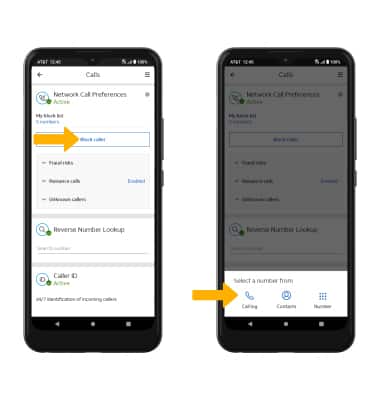
From the Calls page, scroll to and select Block caller, then select the desired option and follow the prompts.
Access settings
Select the

Menu icon, then select Settings. Edit settings as desired.