View and edit the Wi-Fi network name and password for the Router's wireless network.
INSTRUCTIONS & INFO
- From your device's web browser, go to http://attwifimanager. Enter your Admin Password, then click Login.
Note: Ensure that your device is connected to the AT&T Unite Express 2's Wi-Fi network. For more information, please see the Connect Devices to Wi-Fi or Connect PC or Mac to Wi-Fi tutorials.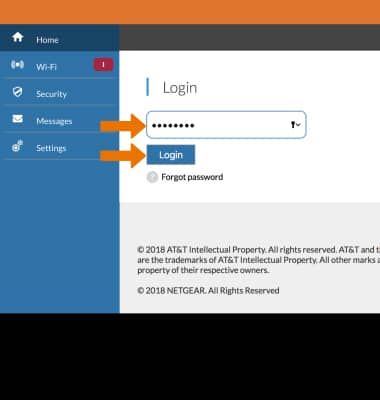
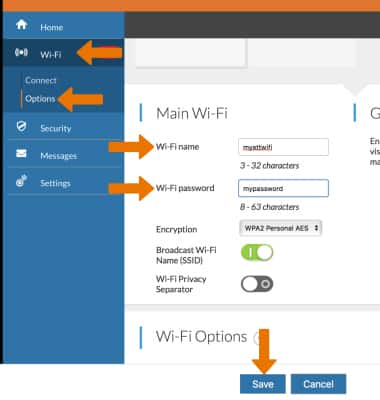
- Click Wi-Fi then click Options at left side of the screen. Edit the desired Wi-Fi name and Wi-Fi password then click Save.
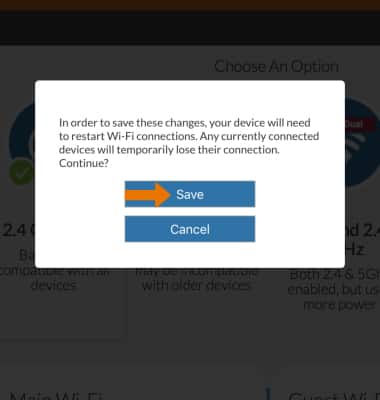
- Click Save again to confirm. The Wi-Fi network will restart.