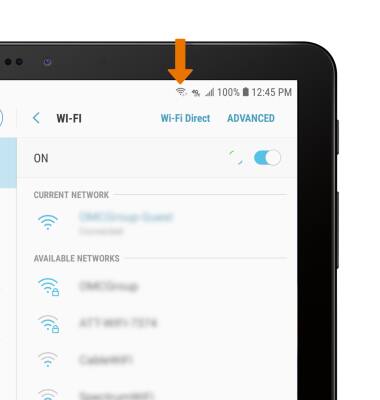
Connect a smartphone or tablet to the Router's Wi-Fi network.
INSTRUCTIONS & INFO
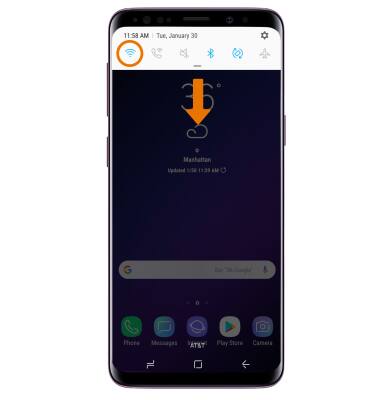
- CONNECT A SMARTPHONE TO WI-FI: From the desired phone’s home screen, swipe down from the Notification bar then select and hold the Wi-Fi icon.
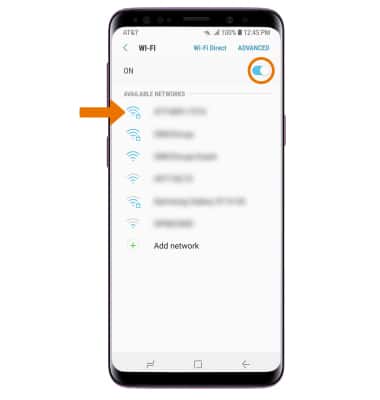
- Select the Wi-Fi switch to turn Wi-Fi on or off. Select the router’s Wi-Fi network.
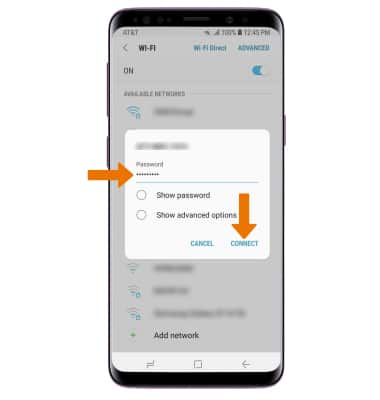
- Enter the router's network Password, then select CONNECT.
- When connected to a Wi-Fi network, the Wi-Fi connected icon will be displayed in the Notification bar.

- CONNECT A TABLET TO WI-FI: From the home screen, swipe down from the Notification bar then select and hold the Wi-Fi icon.

- Select the Wi-Fi switch to turn Wi-Fi on or off. Select the router’s Wi-Fi network.
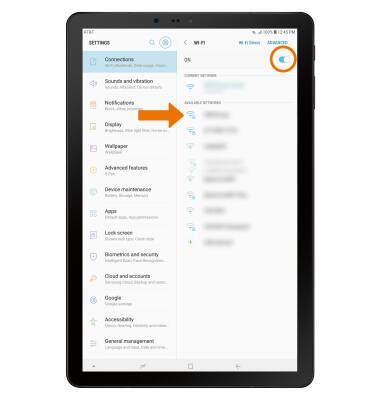
- Enter the router's network Password, then select CONNECT.
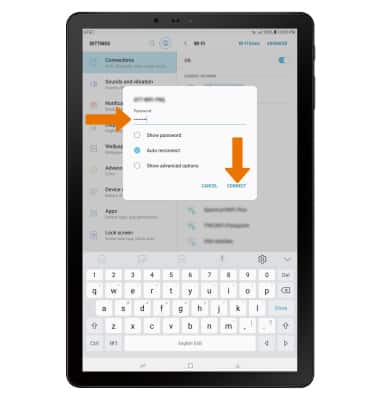
- When connected to a Wi-Fi network, the Wi-Fi connected icon will be displayed in the Notification bar.