View the device IMEI, phone, and serial number.
INSTRUCTIONS & INFO
1. Swipe up from the bottom of the clock screen to access the Apps tray, then scroll to and select the  Settings app.
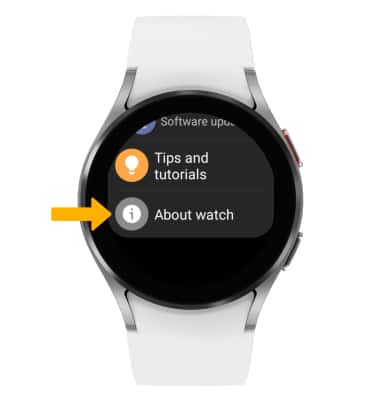
Settings app.2. Scroll to and select About watch.
Note: You can also view your IMEI and Serial Number by entering *#06# from the keypad in the Phone app.
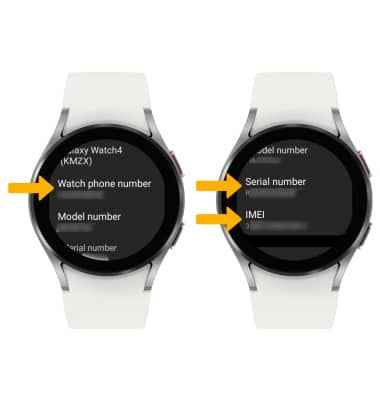
3. Scroll to view the Watch phone number, Serial number and IMEI.
Note: You can also view your IMEI and Serial Number by entering *#06# from the keypad in the
Phone app. 3. Scroll to view the Watch phone number, Serial number and IMEI.