Airplane Mode
Maven 2 (Z831)
Airplane Mode
Airplane Mode disables all wireless services (calls, data and text messages) on the device. Disable Airplane mode to restore regular functions.
-
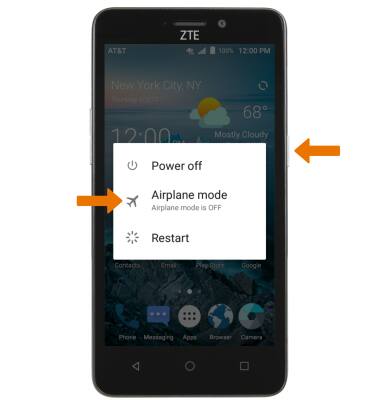
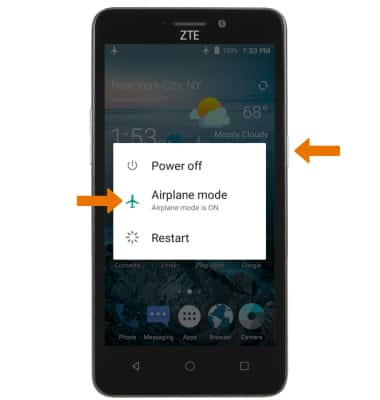
TURN ON AIRPLANE MODE: Press and hold the Power/Lock button, then select Airplane mode.Note: To quickly turn Airplane mode on or off, swipe down from the Notification bar with two fingers then select the Airplane mode icon.
-
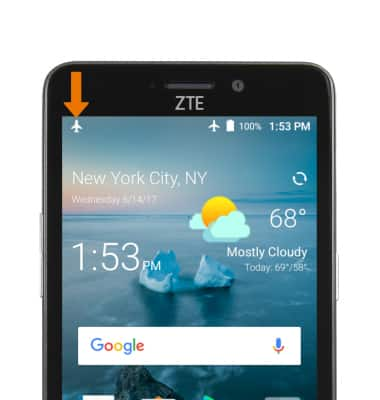
The Airplane mode icon will be displayed in the Notification bar when turned on.
-
TURN OFF AIRPLANE MODE: Press and hold the Power/Lock button, then select Airplane mode.
-
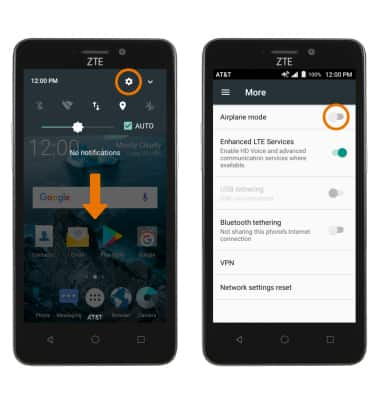
TURN ON/OFF AIRPLANE MODE VIA SETTINGS: Swipe down from the Notification bar > select the Settings icon > More > Airplane mode switch.