Opciones de llamada
Conoce las funcionalidades que están disponibles mientras estás en una llamada activa.
En este tutorial, obtendrás información sobre las acciones disponibles en la filtración de llamadas activas como así también cómo:
• Opciones de filtración de llamadas activas
• Poner en espera/reanudar una llamada
• Acceder a la pantalla principal durante una llamada
• Volver a una llamada activa
• Usar Hold Assist
Opciones de filtración de llamadas activas
Mientras estás en una llamada activa, las siguientes opciones están disponibles: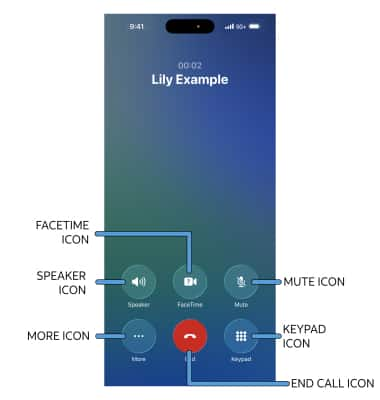
• AJUSTAR EL VOLUMEN DE LA LLAMADA: presiona los botones de volumen en el lado izquierdo del dispositivo.
• SILENCIAR/DESACTIVAR MODO SILENCIOSO: selecciona el ícono Mute.
• MOSTRAR/OCULTAR EL TECLADO: selecciona el ícono Keypad.
• ACTIVAR/DESACTIVAR EL TELÉFONO CON ALTAVOZ O BOCINA: selecciona el ícono Speaker.
• AÑADIR UNA LLAMADA: selecciona el ícono Add Call y sigue las indicaciones. Para obtener información sobre llamadas de conferencia, consulta el tutorial de llamadas de conferencia.
• CONVERTIR LA LLAMADA A FACETIME: selecciona el ícono FaceTime.
• FINALIZAR LLAMADA: selecciona el ícono End call.
Poner en espera/reanudar una llamada
Al agregar una llamada se pondrá tu llamada actual en espera automáticamente. Mientras estés en una llamada de conferencia, selecciona Swap para cambiar qué llamada está en espera.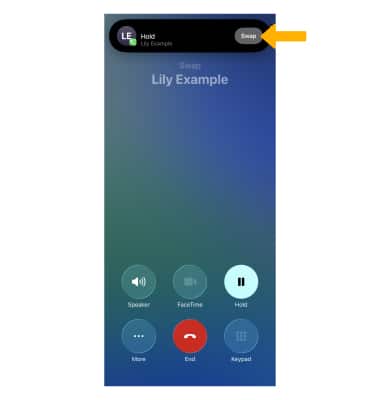
Acceder a la pantalla principal durante una llamada
Mientras estés en una llamada activa, deslízate hacia arriba desde la parte inferior de la pantalla para acceder a la pantalla principal.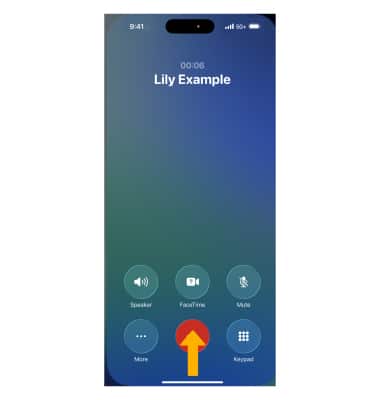
Volver a una llamada activa
Selecciona la barra de llamadas activa en Dynamic Island en la parte superior de la pantalla.
Importante: Si tu iPhone no tiene Dynamic Island (iPhone 14 Pro o posterior), selecciona la barra Active call verde en la parte superior de la pantalla.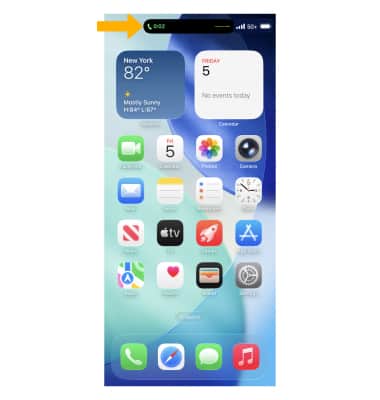
Usar Hold Assist
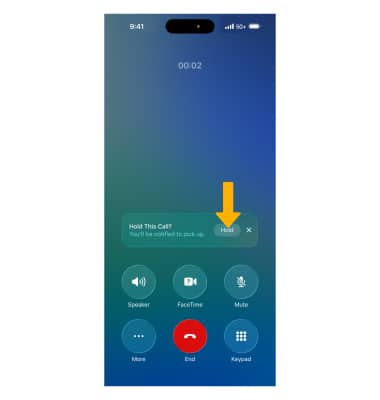
Hold Assist mantiene tu lugar en la fila mientras esperas a un agente en vivo y notifica al usuario que vuelva a la llamada. El iPhone detectará cuando estés en espera. Selecciona Hold para comenzar a usar Hold Assist. Se te notificará cuando tu llamada deje de estar en espera.
Importante: Hold Assist está activado en forma predeterminada. Para desactivar o volver a activar Hold Assist, abre la  aplicación Settings > selecciona Apps > Phone > selecciona el
  interruptor Hold Assist Detection.