Realizar y recibir una llamada
Realizar y recibir una llamada
Hacer una llamada, hacer una llamada de conferencia, marcado rápido, contestar o declinar una llamada, y rechazar una llamada con un mensaje de texto.
INSTRUCCIONES E INFORMACIÓN
- REALIZAR UNA LLAMADA TELEFÓNICA: desde la pantalla principal, selecciona la aplicación Phone. Marca el número deseado, luego selecciona el ícono Call.
Importante: O bien, puedes tener acceso a la aplicación Phone desde la pantalla de bloqueo al deslizar hacia arriba desde el ícono Phone. Para obtener información sobre cómo hacer llamadas o usar tu dispositivo en otros países, visita el sitio web AT&T internacional.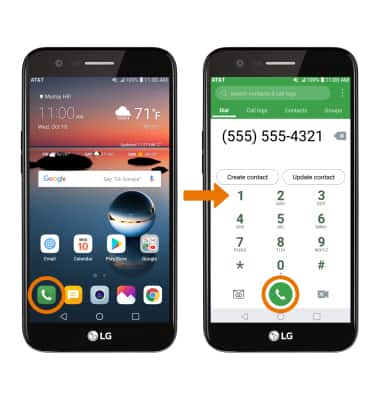
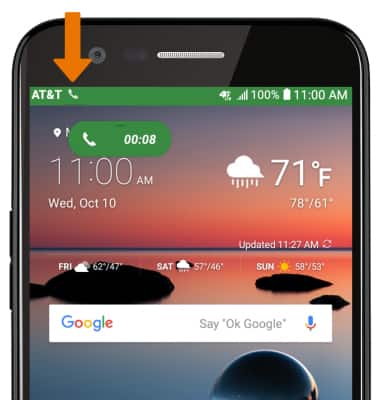
- Mientras una llamada está activa, aparecerá el ícono Call en la barra de notificaciones.
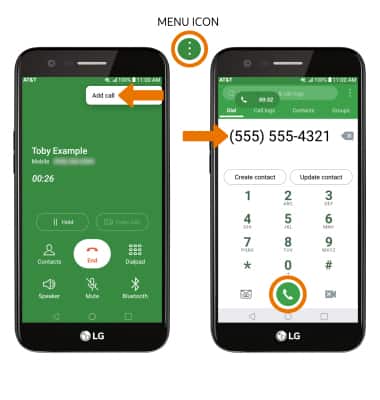
- LLAMADA DE CONFERENCIA: mientras estás en una llamada, selecciona el ícono Menu, luego selecciona Add call. Ingresa el número de teléfono que desees y selecciona el ícono Call.
- MARCADO RÁPIDO: mantén oprimido el número de marcado rápido que desees.
Importante: Para añadir un número a marcado rápido, desde la pestaña Dial en la aplicación Phone, selecciona el ícono Menu > Speed dial > el número al que deseas asignar el contacto > el contacto que desees. El número 1 está reservado para el correo de voz.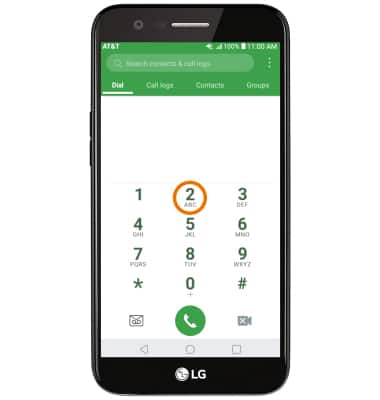
- CONTESTAR O RECHAZAR UNA LLAMADA: desliza el ícono Answer en cualquier dirección para responder una llamada. Desliza el ícono Decline en cualquier dirección para rechazar una llamada.
Importante: Para activar o desactivar la respuesta automática desde la pantalla principal, selecciona la aplicación Phone > ícono Menu > Call settings > Answer and end calls > Auto answer > selecciona la opción que desees.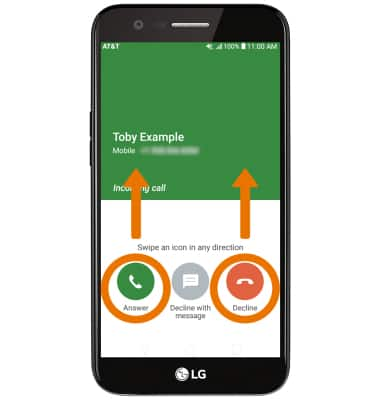
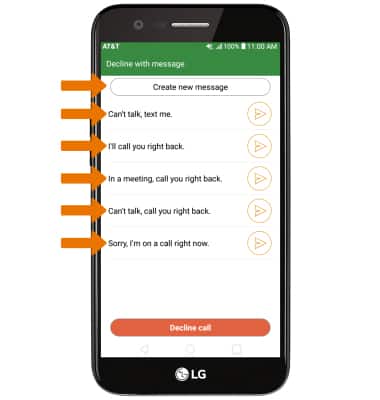
- RECHAZA UNA LLAMADA CON UN MENSAJE DE TEXTO: desliza el ícono Decline with message en cualquier dirección.
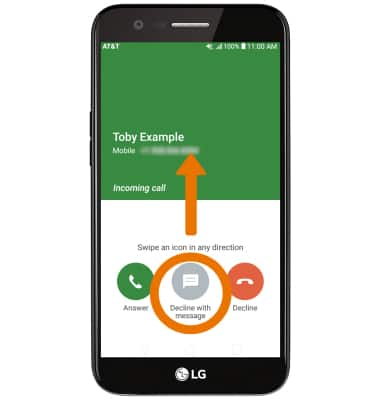
- Selecciona el mensaje de texto que desees enviar o selecciona Create new message para escribir el tuyo.
Importante: Para crear o editar las respuestas a los mensajes de texto, desde la pantalla principal, selecciona la aplicación Phone > ícono Menu > Call Settings > Call blocking & Decline with message > Decline with message.