Bluetooth
Bluetooth
Activar o desactivar Bluetooth, escanear y conectarse a otros dispositivos con Bluetooth y desconectar un dispositivo conectado.
INSTRUCCIONES E INFORMACIÓN
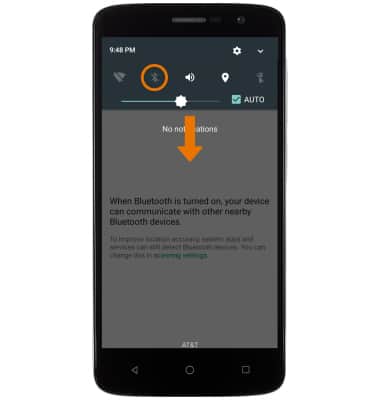
- ACTIVAR BLUETOOTH: desliza la barra de notificaciones hacia abajo, luego mantén seleccionado el ícono Bluetooth.
Importante: Para habilitar Bluetooth desde la pantalla de configuración, desliza el dedo hacia abajo desde la barra de notificaciones > selecciona el ícono Settings > selecciona Bluetooth > coloca el interruptor de Bluetooth en la posición ON.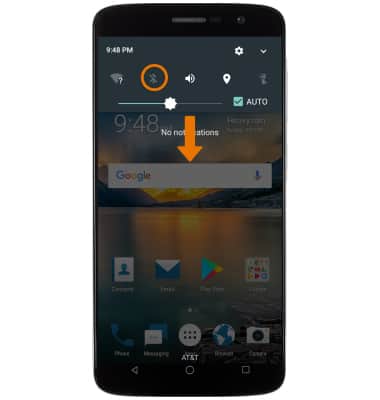
- BUSCAR DISPOSITIVOS: selecciona el interruptor Bluetooth.
Importante: el dispositivo escaneará de manera automática los dispositivos cuando esté activado el Bluetooth.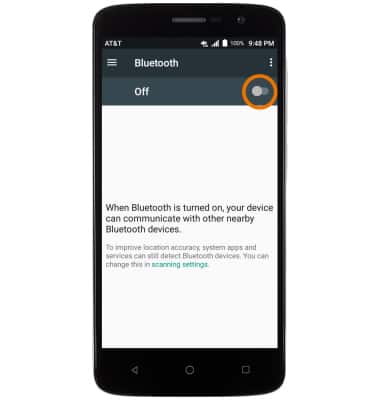
- CONECTARSE A UN DISPOSITIVO: selecciona el DISPOSITIVO que desees.
Importante: Si no aparece el dispositivo que buscas, revisa que esté configurado como visible y luego selecciona el ícono Menu > Refresh.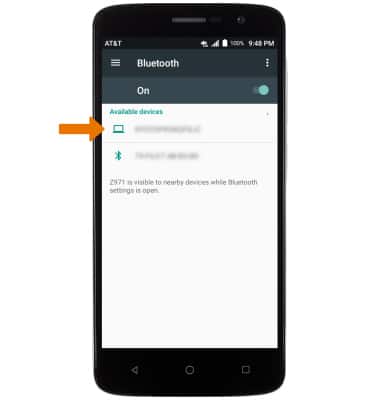
- Selecciona PAIR cuando se indique solicitar una conexión.
Importante: Se te pedirá que ingreses tu código personal (el que por lo general está predeterminado en 0000).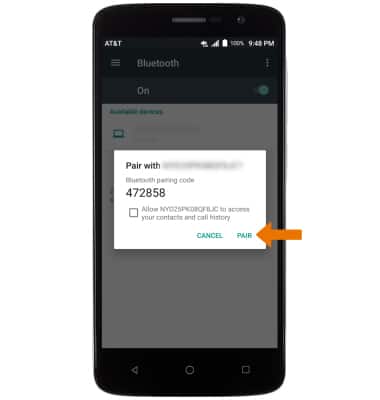
- Cuando esté conectado, el ícono de Bluetooth conectado aparecerá en la barra de notificaciones.
Importante: Para optimizar la duración de la batería, desactiva el Bluetooth cuando no lo uses.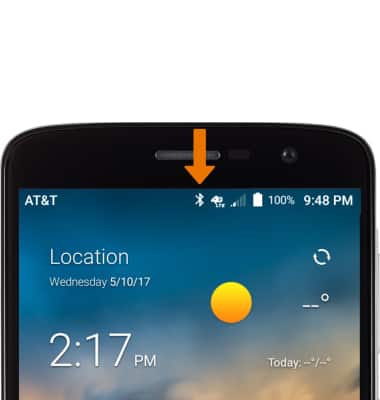
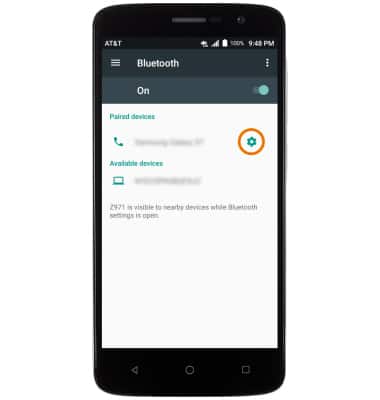
- AJUSTAR LAS CONFIGURACIONES O DESCONECTAR: selecciona el ícono Settings.
- Ajusta las configuraciones que desees o selecciona FORGET para desconectar el dispositivo.
Importante: Si tienes problemas para conectar/desconectar tu dispositivo, consulta el manual de usuario de tu dispositivo para obtener información adicional.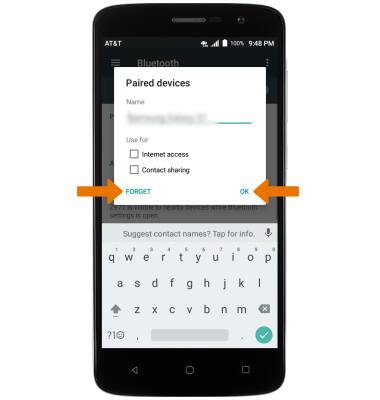
- ACTIVAR O DESACTIVAR RÁPIDAMENTE BLUETOOTH: desliza la barra de notificaciones hacia abajo y luego selecciona el ícono Bluetooth.