Your Digital Subscriber Line (DSL) network password is system generated and is used by the modem or router to authenticate and connect to the DSL network.
You’re viewing instructions for
Internet equipment
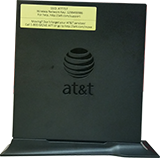
Pace
4111N
KM1047400-slctrgrp_pac4111n
Network password update
Note: The network password is stored in your modem or router. It shouldn’t be modified unless you’re asked to do so by an AT&T technician.
- Go to your gateway settings.
- Select Settings, then Broadband.
- Select Link Configuration.
- In the PPP Authentication and Settings section, verify your AT&T or Member ID is correct. If it isn’t, enter the correct ID.
- Enter your DSL Network Password in the Password field.
- Enter your DSL Network Password in the Retype Password field.
- Select Save.
Last updated: April 8, 2026
Browse topics
Connections, browsing & security
Installation & order status
Troubleshooting & repair
Learn about DSL internet and Wi-Fi connections, tools, and security.