You’re viewing instructions for
Remote control
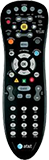
Point Anywhere Remote
KM1009902-slctrgrp_pointanywhereremote
Try this first
- Check the batteries if the appropriate button doesn't light up when pushed.
- Check all the cables to your device to make sure they are secure and connected properly.
- Unplug the receiver if you are still having trouble, and then wait two minutes before plugging it back in and turning it back on.
Remote control troubleshooting tips
Point Anywhere A30 remote control
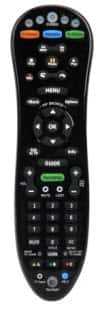
The Point Anywhere A30 remote uses RF technology and doesn't require line-of-sight to the TV. Instead, it works through walls and furniture, providing more flexibility in controlling your U-verse entertainment experience. The A30 offers a simplified method for programming it to control the most popular entertainment devices.
Point Anywhere A20 remote control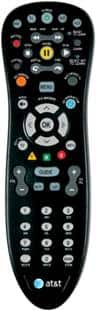
The Point Anywhere A20 remote uses RF technology and doesn't require line-of-sight to the TV. Instead, it works through walls and furniture, providing more flexibility in controlling your U-verse entertainment experience.
Mobile phone or tablet as remote control
Your mobile phone or tablet can be used as a remote control. Just install the U-verse app (Apple, Android, or Amazon Fire TV) on your mobile device to get a simple remote interface and more options.
Remote control replacement
Order a new or replacement remote.