
Before setting up your device, make sure you have completed the online activation process. Please visit Activate phone, SIM card, or other device for more information.
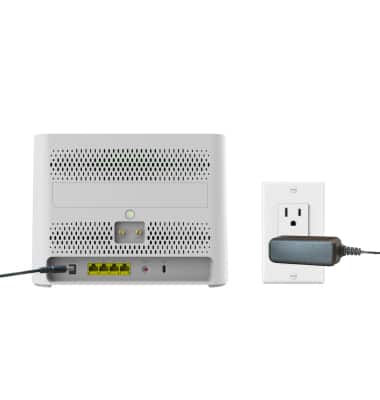
1. Using the included power adapter, plug in the gateway by inserting the power adapter into the DC Power Port and plug the attachment plug into your electrical outlet. When your device is powered on, the power light will display green. AT&T BGW830 automatically searches for and connects to the AT&T mobile broadband network. This process will take approximately 3-5 minutes.
Note: For optimal placement, place your AT&T BGW830 on a higher shelf and near a window. Try to avoid placing the device near items that may interfere with wireless network signal, such as large appliances, microwaves, stone or concrete walls, metal cabinets, computer monitors or televisions screens. To learn more about the AT&T network, visit www.att.com/network.
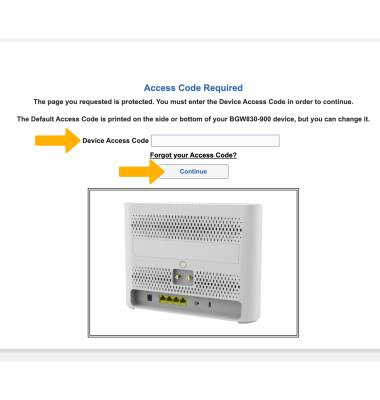
2. Your device should be ready for use. To log in to your device's network settings, you must log in to the Web UI. From your device’s web browser, go to https://192.168.1.254. Enter your Device Access Code, then click Continue.
Note: Ensure that your device is connected to your AT&T BGW830's Wi-Fi network. For more information, please see the Connect Devices to Wi-Fi or Connect PC or Mac to Wi-Fi tutorials. Use the default access code printed on the label on the back of the device.
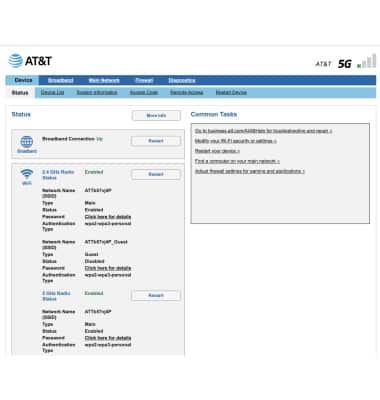
3. Your device is now ready for use.
What's in the box?
• Device with preinstalled AT&T SIM Card
• Quick Start Guide
• DC Power Supply Unit
• Safety and Warranty Information Guide