
For the best 5G experience, you must use a 5G SIM card, have an eligible plan, and be in an AT&T 5G coverage area. Learn more. Before setting up your device, make sure you have completed the online activation process. Please see Activate phone, SIM card, or other device for more information.
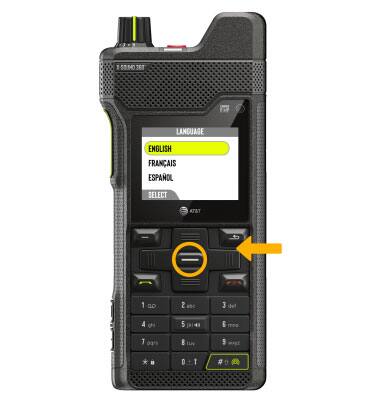
1. When turning the device on for the first time, or after a factory reset, you will be walked through a series of prompts to set up your device. Press the navigation keys to highlight the desired language,then press the Left Dynamic key to select Next.
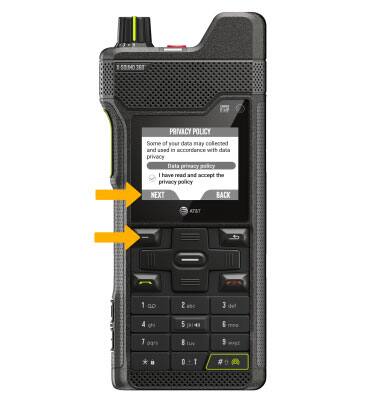
2. Review the Privacy Policy prompt, then press the Left Dynamic key to select Next.
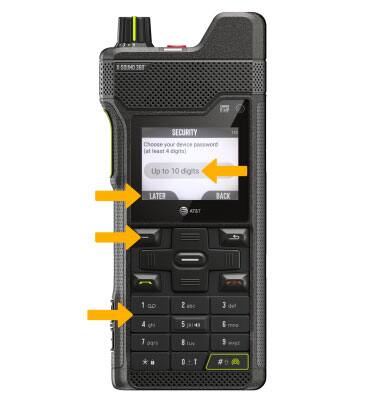
3. Use the keypad enter in the device's desired password. If you want to skip, press the Left Dynamic key to select Later.
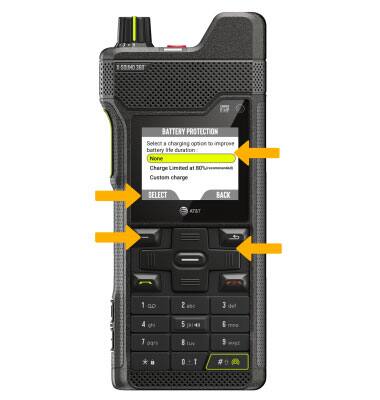
4. Use the navigation keys to select the desired charging option, thenpress the Left Dynamic key to select Select.
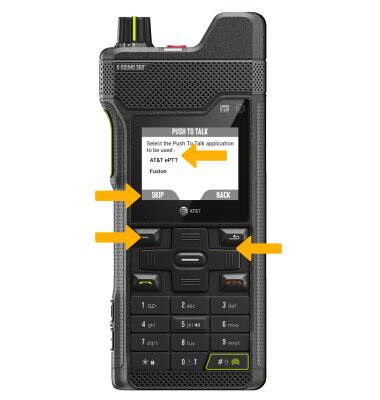
5. Use the navigation keys to select the desired Push to Talk application option.If you want to skip, press the Left Dynamic key to select Skip.
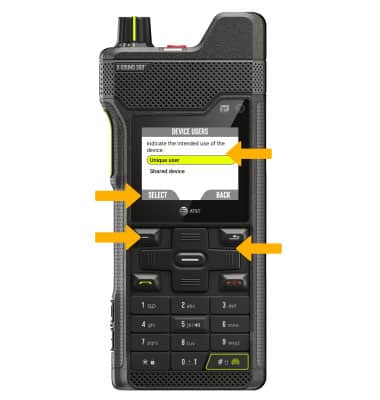
6. Use the navigation keys to select the desired Device Users option, then press the Left Dynamic key to select Select.
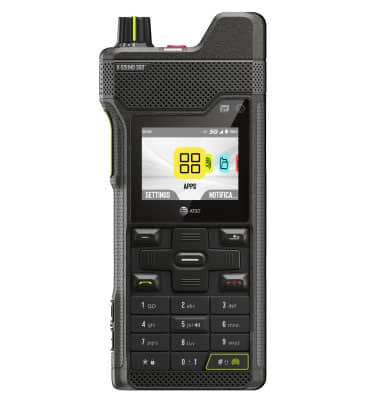
7. Set up is complete.
What's in the box?
• SIM card
• Battery • Wall charger • USB-C cable
• Screwdriver
• Battery cover
• Quick start guide