Browse the Web
Browse the web and bookmark sites.
-
ACCESS BROWSER: From the home screen, press the OK button. Press the directional buttons to navigate to and highlight the Browser app, then press the OK button.

-
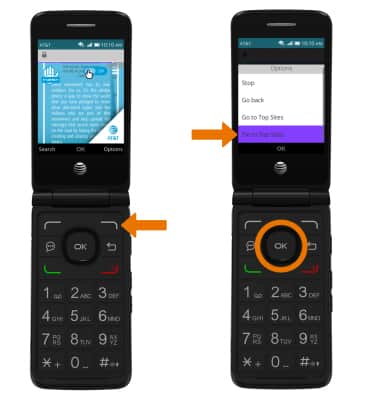
BOOKMARK A SITE: Press the right option button to select Options, then select Pin to Top Sites.
-
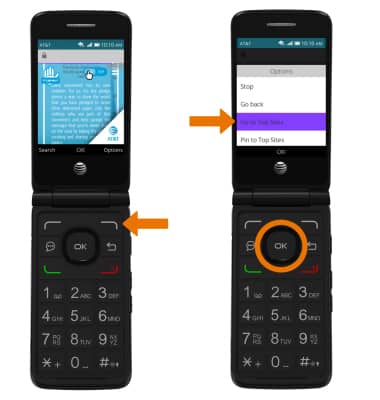
ACCESS BOOKMARKED SITES: From the Browser, press the right option button to select Options then select Go to Top Sites.
-
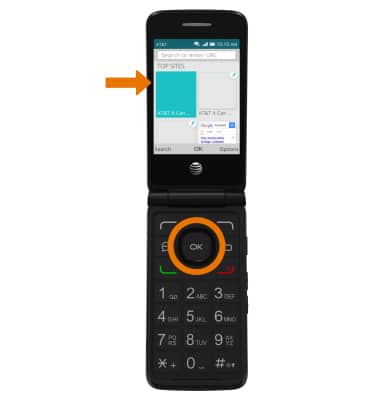
Navigate through the top sites, then select the desired site.
-
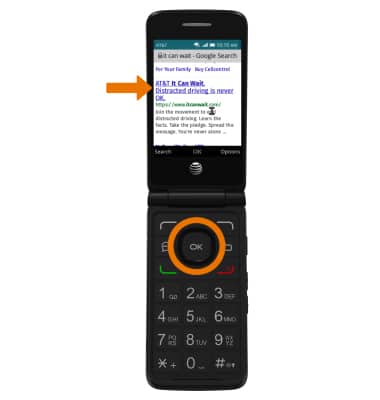
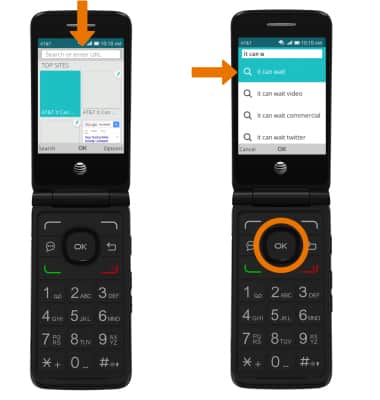
SEARCH FOR A WEBSITE: From the Browser, navigate to the Search bar. Use the letters on the keypad to enter the desired search then select the desired search result.
-
Select the desired website.