Sounds & Alerts
-
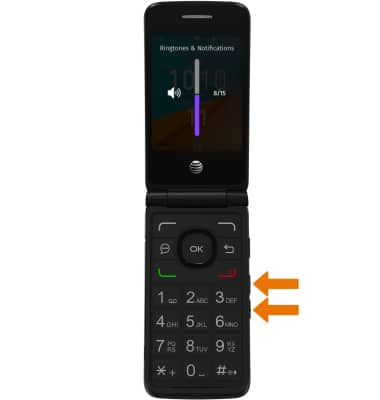
ADJUST RING VOLUME: Press the up and down volume buttons on the right side of the device.
-
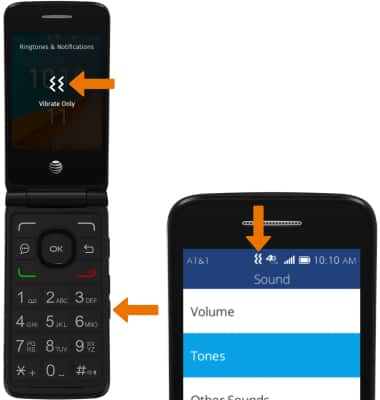
ACTIVATE VIBRATE MODE: Press the volume down button until Vibrate Only is displayed. When Vibrate mode is active, the Vibrate mode icon will display in the Notification bar.
-
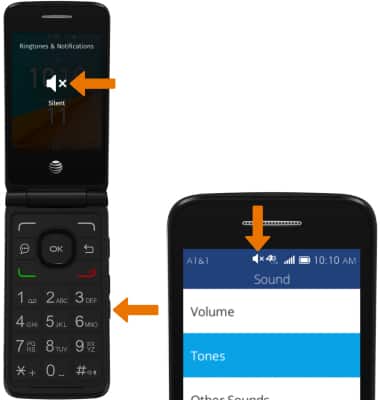
ACTIVATE SILENT MODE: Press the volume down button until Silent is displayed. When Silent mode is active, the Silent mode icon will display in the Notification bar.
-
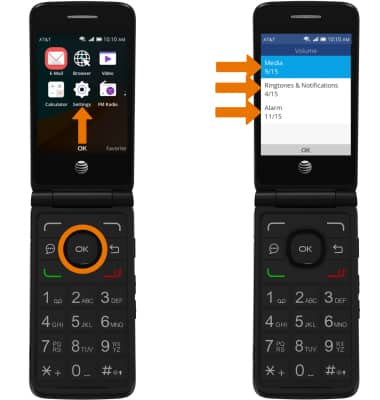
ACCESS ADDITIONAL VOLUME SETTINGS: From the home screen, press the OK button. Navigate to and select Settings > Personalization > Sound > Volume > select the desired option to adjust the desired volume settings.
-
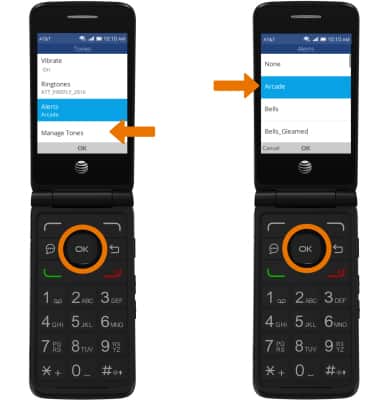
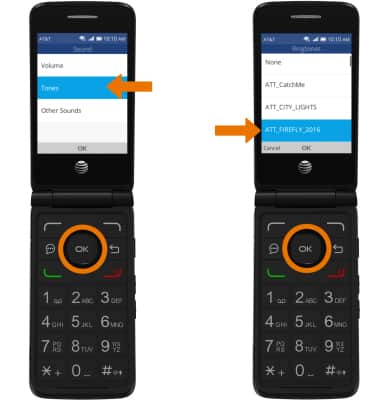
CHANGE RINGTONE: From the Sound screen, navigate to and select Tones > Ringtones > desired ringtone.Note: For steps to assign a ringtone to a contact, please see the Contacts tutorial
-
CHANGE NOTIFICATION ALERTS: From the Sound screen, navigate to and select Tones > Alerts > desired Alert tone.