No Dial Tone
Try these troubleshooting methods if your AT&T Wireless Internet does not produce a dial tone when a phone is plugged in.
-
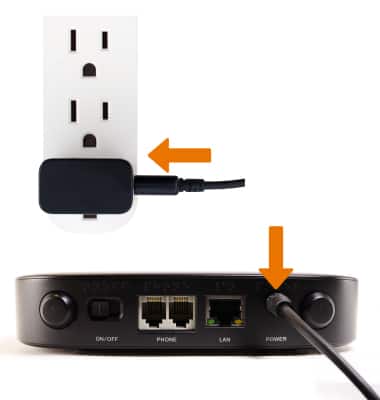
Make sure the power cord is plugged into the AT&T Wireless Internet and a power outlet. Do not connect the AT&T Wireless Internet to a power outlet that is controlled by a wall switch.
-
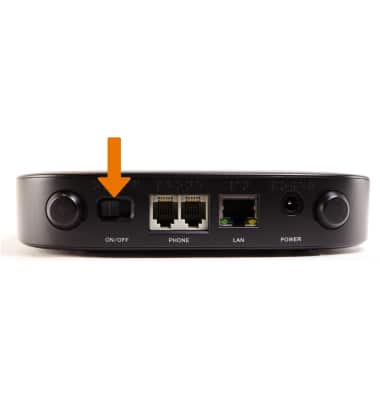
Make sure your AT&T Wireless Internet is powered on. Switch the power button to ON to turn on the device.
-
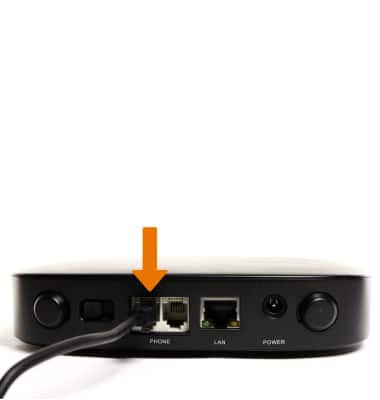
Make sure that your cordless phone has power, and is connected properly to the AT&T Wireless Internet.
-
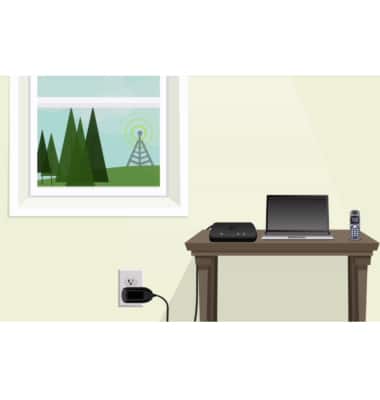
Move your AT&T Wireless Internet to an area with a stronger cellular signal, typically near a window or outside wall.
Note: Three to four green/blue bars indicate a strong signal and is recommended for optimal performance. Less than three bars indicates a moderate signal and may be sufficient.