Connect WPS Devices
Learn how to connect WPS devices.
-
From your device's web browser, go to http://attwifimanager. Enter your Username and Password, then click SIGN IN.
Note: Ensure that your device is connected to the Netgear Nighthawk's Wi-Fi network. For more information, please see the Connect Devices to Wi-Fi or Connect PC or Mac to Wi-Fi tutorials.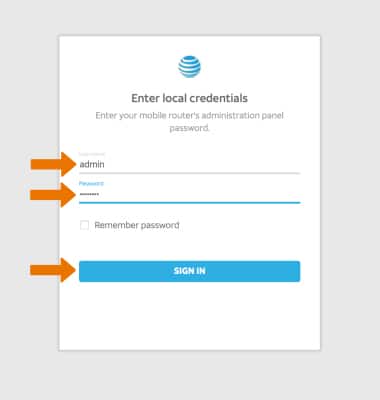
-
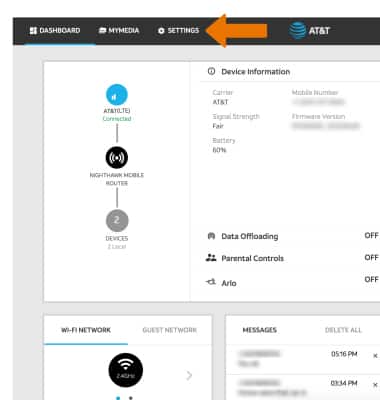
Click SETTINGS at the top of the page.
-
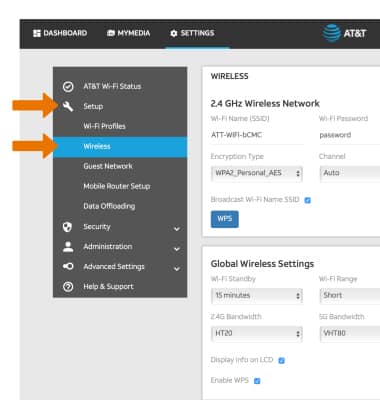
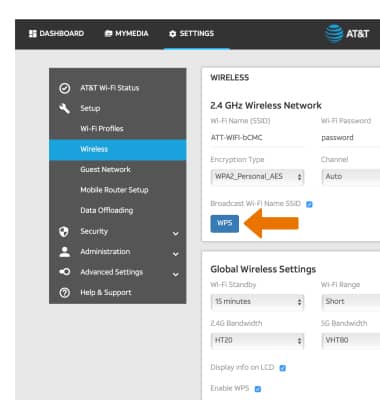
Click Setup,then click Wireless.
-
Click WPS.
-
Click the desired connection option.
Note: For this tutorial, Enter WPS PIN was chosen.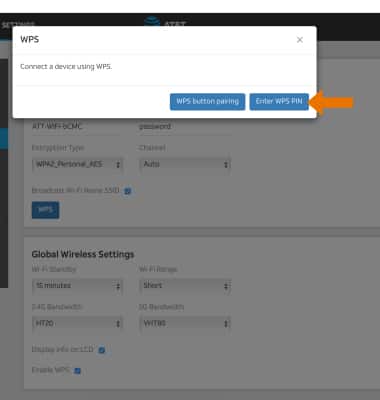
-
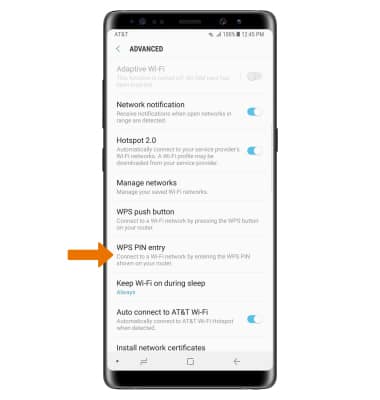
On the WPS-enabled device, navigate to and select the connection option. Follow the prompts to complete setup.