View Messages & Notifications
Learn how to view and delete messages and notifications on your device.
-
From your device's web browser go to http://attwifimanager. Enter your Username and Password, then click SIGN IN.
Note: Ensure that your device is connected to the Netgear Nighthawk's Wi-Fi network. For more information, please see the Connect Devices to Wi-Fi or Connect PC or Mac to Wi-Fi tutorials.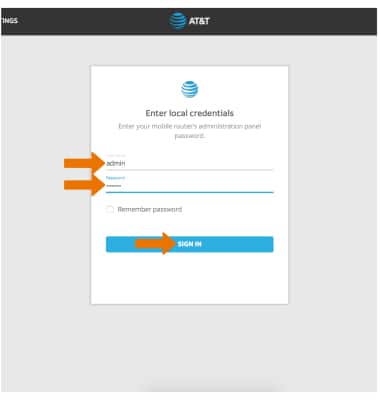
-
Scroll to the bottom of the page to view messages. Click the X icon next to the desired message to delete.
Note: You will be prompted to select Yes to confirm.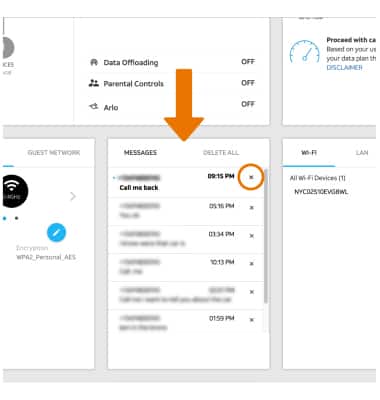
-
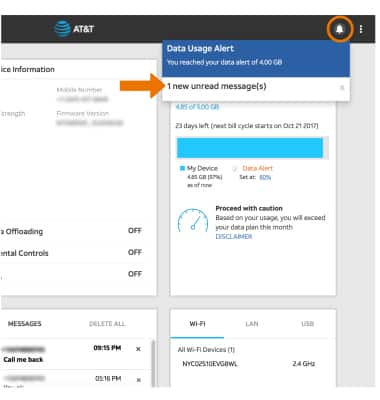
Click the Notification icon in the top right corner of the page to view Notifications.
Note: Click the X icon to dismiss notifications. When you receive a message or notification, a notification screen will appear on your Router.