Find IMEI, Serial Number & Phone Number
View the device IMEI, phone and serial numbers.
-
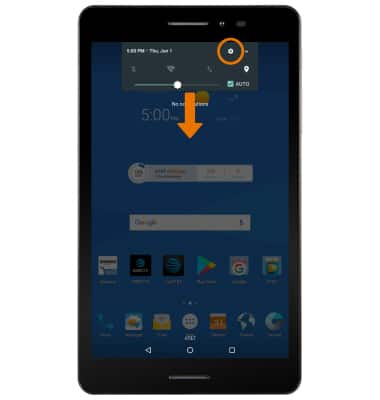
VIEW PHONE NUMBER: Swipe down from the Notification bar, then select the Settings icon.
-
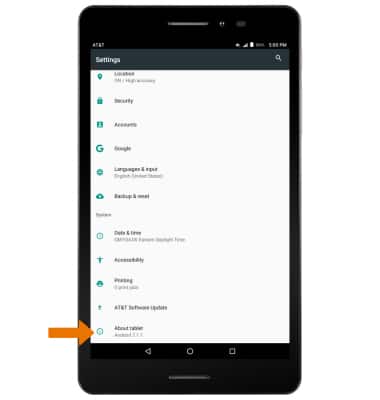
Scroll to and select About tablet.
-
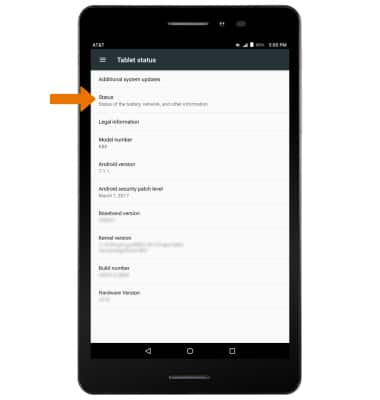
Select Status.
-
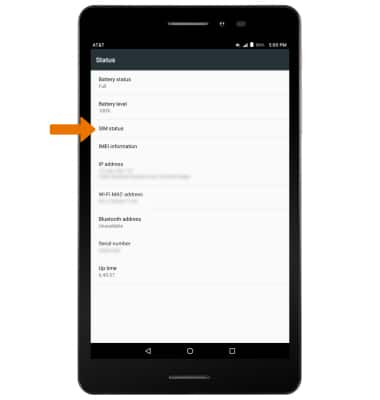
Select SIM Status.
-
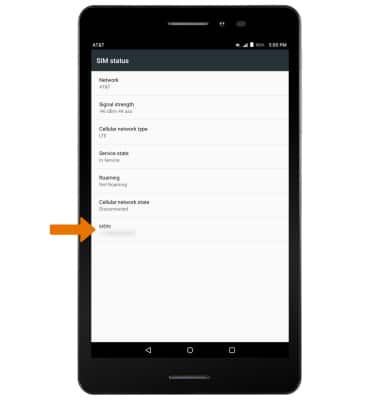
The device number will be displayed under MDN.
-
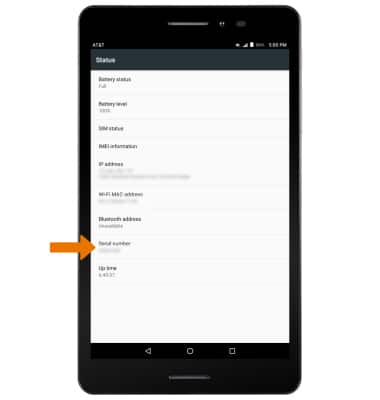
VIEW SERIAL NUMBER: From the Status screen, the device's serial number will be displayed under Serial number.
-
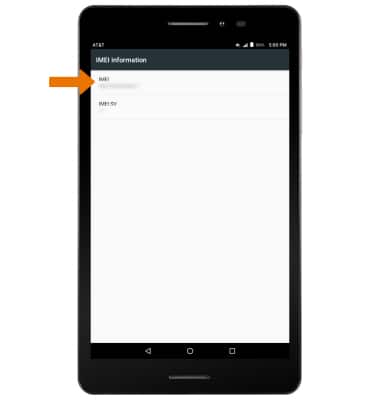
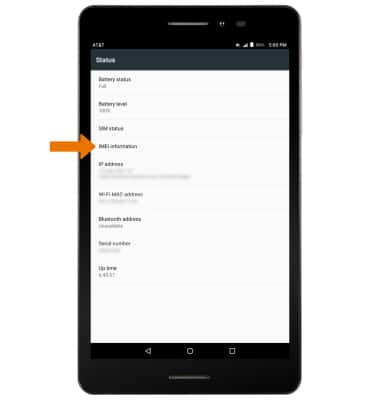
VIEW IMEI NUMBER: From the Status menu, select IMEI information.
-
The IMEI number will be displayed.