Call Forwarding
Manage call forwarding from your device.
-
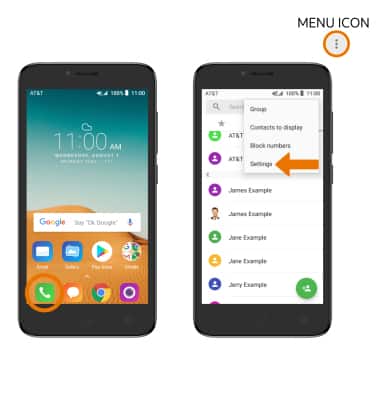
From the home screen, select the Phone app. Select the Menu icon, then select Settings.
-
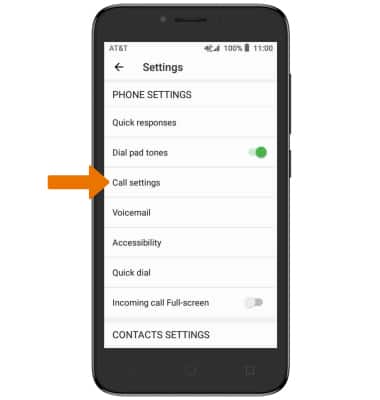
Select Call settings.
-
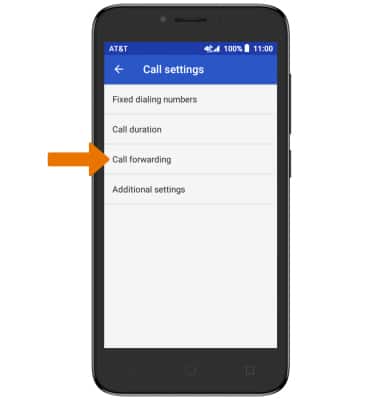
Select Call forwarding.
-
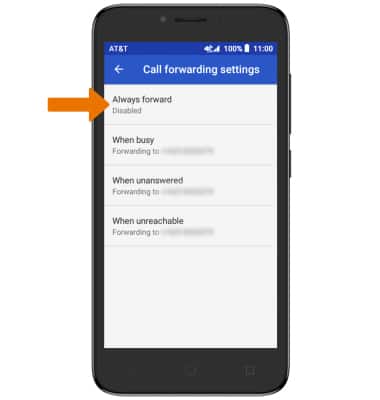
Select Always forward.
-
Enter the desired forwarding number, then select ENABLE.
Note: To turn off call forwarding, from the Call forwarding settings screen, select Always forward thenselect TURN OFF. To change the call forwarding number, edit the number then select UPDATE.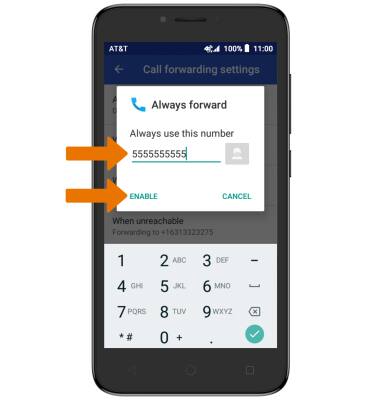
-
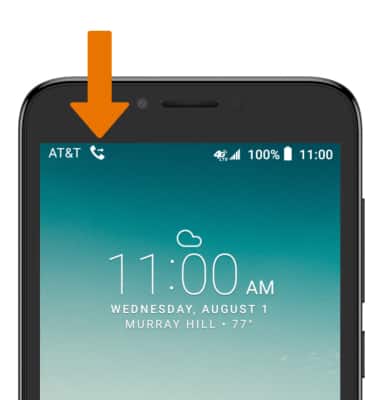
When call forwarding is turned on, the Call forwarding icon will be displayed in the Notification bar.