Device Assembly
Install and remove the SIM and battery.
-
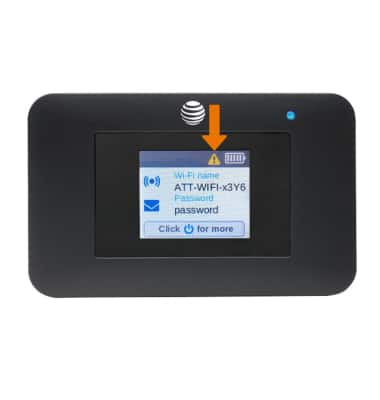
If a SIM is not in the device, the SIM Not Installed alert will be displayed on the screen.
-
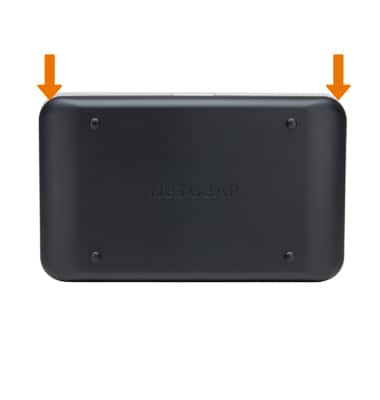
With the device face down, use the two notches to gently lift the backplate off.
-
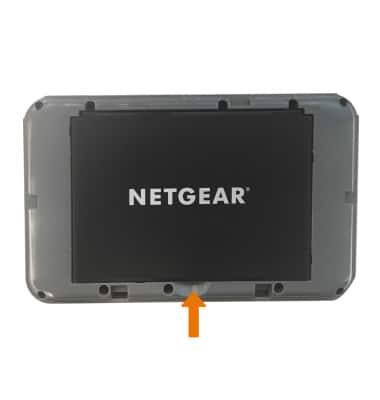
Remove the battery by using the notch at the bottom to gently pull the battery out.
-
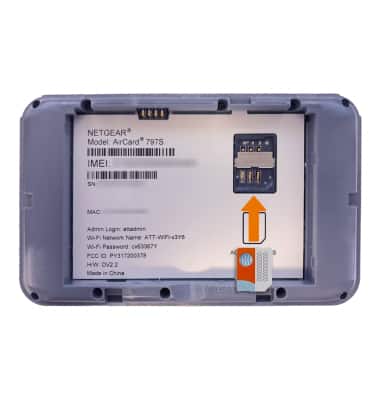
Insert the microSIM into the SIM port with the metal contacts facing down and the notched edge to the bottom right.
-
Place the battery in the battery slot with the gold contacts on the battery lined up with the gold contacts on the device.
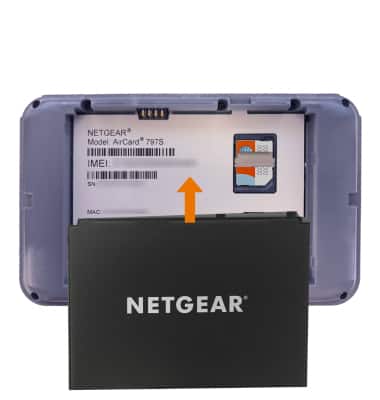
-
Place the cover on the back of the device and gently push down until the backplate clicks.