Find IMEI, Phone Number & Device ID
Learn how to find the IMEI, Phone number, & Device ID
-
From your device's web browser, go to http://attwifimanager. Enter your Admin Password, then click Login.
Note: Ensure that your device is connected to the AT&T Unite Express 2's Wi-Fi network. For more information, please see the Connect Devices to Wi-Fi or Connect PC or Mac to Wi-Fi tutorials.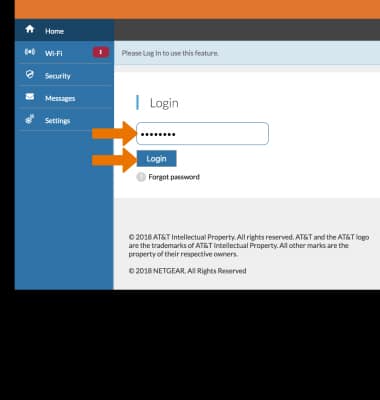
-
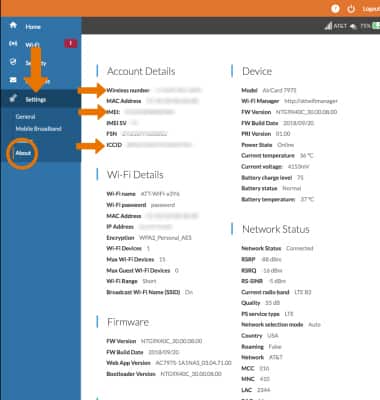
Click Settings then click About. The IMEI, Phone Number, and Device ID will be displayed.
-
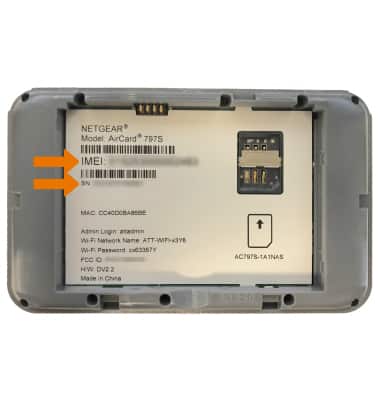
Alternatively, the IMEI and Serial Number can be found under the battery on the back of the device.
Note: For more information on how to remove the battery, see the Device Assembly tutorial.