Check the Wireless Signal
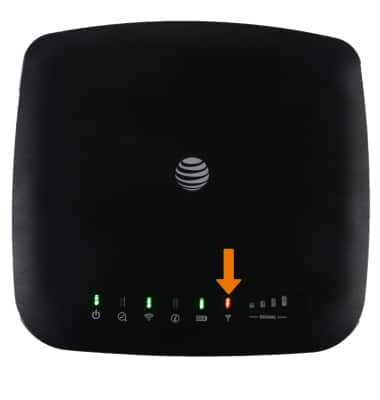
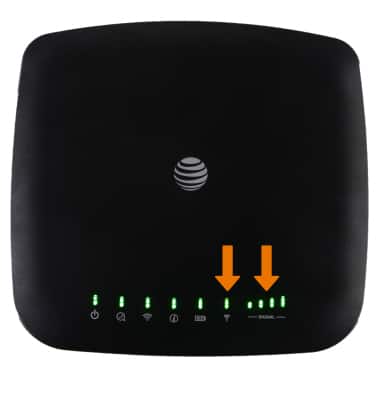
The signal LED on your device indicates the current wireless signal status.
1. The Signal Strength LED displays the wireless signal strength that the AT&T Wireless Internet is receiving. 3 or 4 bars indicate that the AT&T Wireless Internet is receiving a strong signal.
Note: 1 or 2 bars indicate a moderate wireless signal.
 2. Red indicates no wireless signal, if this occurs or if only 1 or 2 bars are lighting up, move the AT&T Wireless Internet to a different location for best performance.
Note: Red blinking indicates a SIM card error, SIM checking, or other abnormal status. The Signal Strength LED will turn green when connected to LTE or blue if it is connected to HSPA/3G.