View Messages & Notifications
Learn how to view and delete messages and notifications on your device.
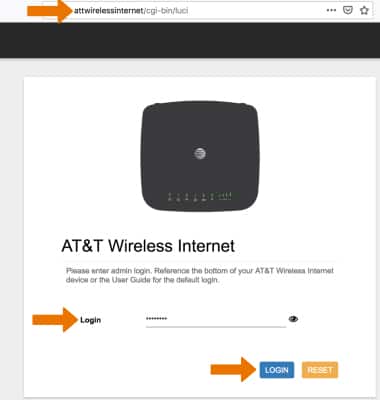
1. From your connected device's web browser go to http://attwirelessmanager. Enter your Login then click LOGIN.
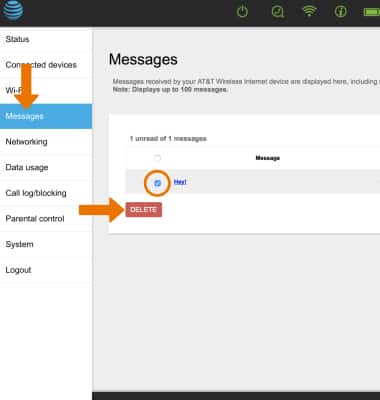
2. Click the Messages tab to view messages. Click the checkbox next to the desired message then click DELETE to delete the message.
Note: You will be prompted to click OK to confirm.