Messaging Settings
To back up or restore messages, access the AT&T Messages Backup and Sync tutorial.
Access messaging settings
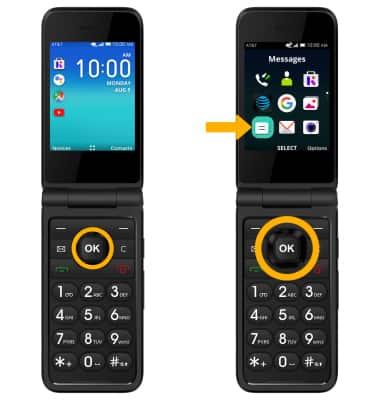
1. From the home screen, press the OK button to access the Apps tray. Press the navigational buttons to highlight the  Messages app, then press the OK button to select.
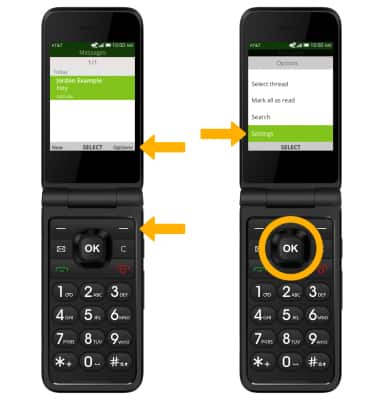
2. Press the right menu button to select Options. Press the down button to highlight Settings, then press the OK button to select.
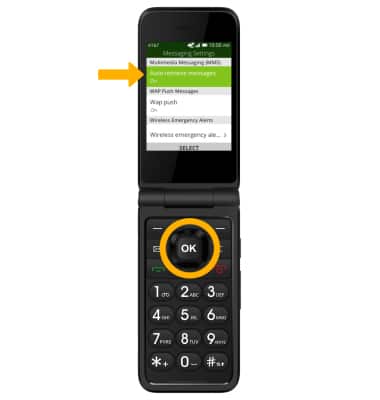
Messaging settings options
Press the up or down button to highlight the desired option, then press the OK button to select. Edit settings as desired.
Enable/Disable Emergency Alerts
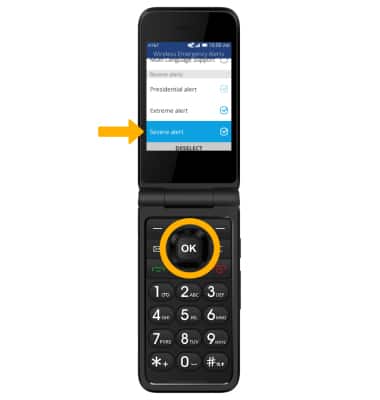
1. From the Messaging Settings screen, press the down button to highlight Wireless emergency alerts. Press the OK button to select.
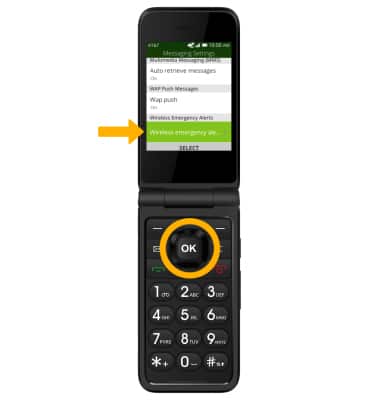
2. Press the down button to highlight the desired alert, then press the OK button to enable or disable.
Note: Learn more about Wireless Emergency Alerts (WEA).