Change APN
Access and change the APN on the device
Change APN
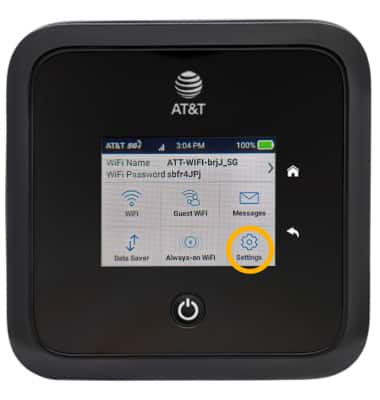
1. From the device home screen, select Settings.
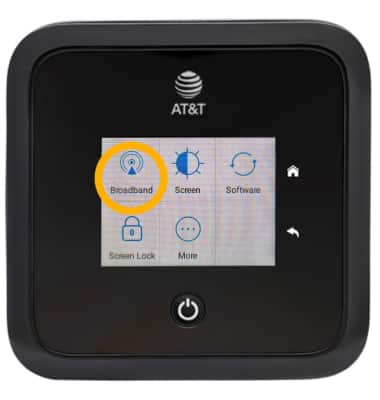
2. Select Broadband.
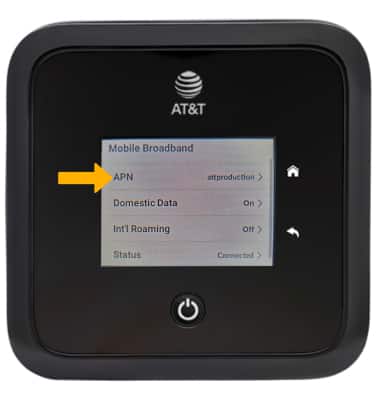
3. Select APN.
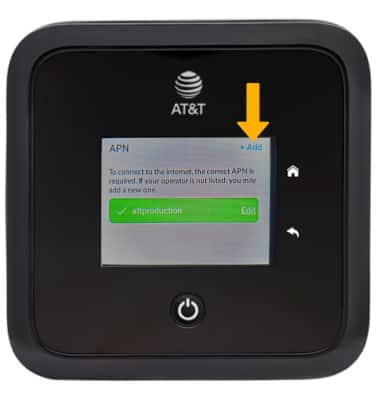
4. Select Add.
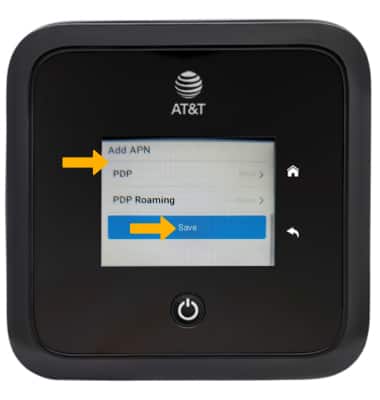
5. Edit APN settings as desired, then scroll to and select Save.
1. From the device home screen, select Settings.
2. Select Broadband.
3. Select APN.
4. Select Add.
5. Edit APN settings as desired, then scroll to and select Save.