Can't Access Certain Website
Check content filtering
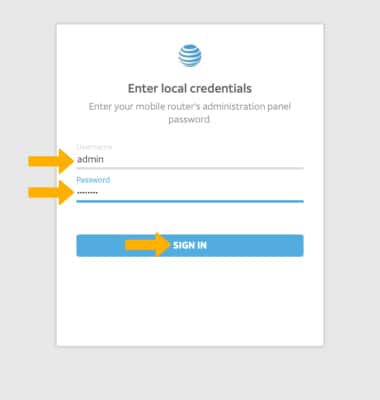
1. From your device's web browser go to http://attwifimanager. Enter your Username and Password, then click SIGN IN.
Note: Ensure that your device and your computer are connected to the same Wi-Fi network. For more information, please see the Connect Devices to Wi-Fi or Connect PC or Mac to Wi-Fi tutorials.
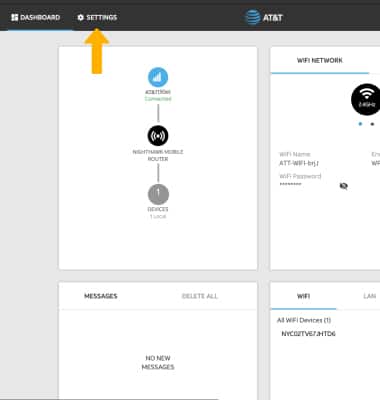
2. Click SETTINGS at the top of the page.
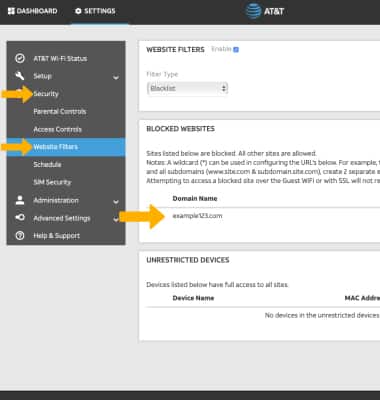
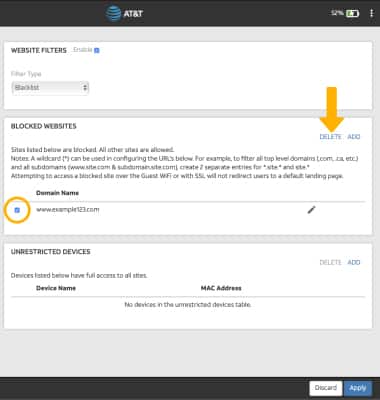
3. Click Security, then click Website Filters. Blocked websites will be displayed under BLOCKED WEBSITES.
4. To unblock a blocked website, click the checkbox next to the desired website then click DELETE.
Note: Click Apply when finished.
Check scheduler
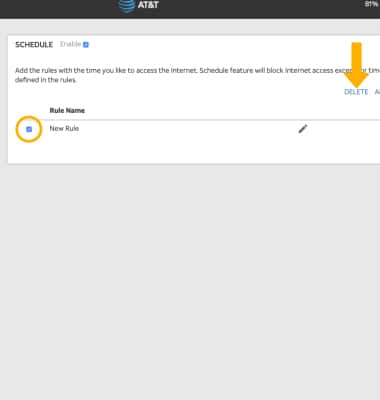
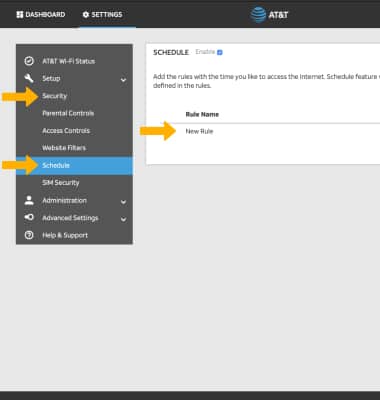
From the SETTINGS screen, click Security then click Schedule. Rules will be displayed.
Delete a schedule
Click the checkbox next to the desired schedule, then click DELETE.