Management Website
In this tutorial, you will learn how to:
• View device messages
• View device information
• View network information
View device messages
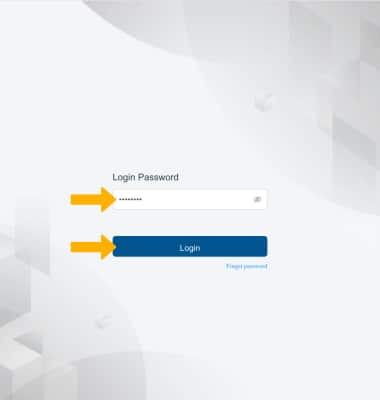
1. From your connected device's web browser, go to http://hotspot.webui. Enter your Login Password, then click Login.
Note: Ensure that your device is connected to the hotspot's Wi-Fi network. For more information, please see the Connect Devices to Wi-Fi or Connect PC or Mac to Wi-Fi tutorials.
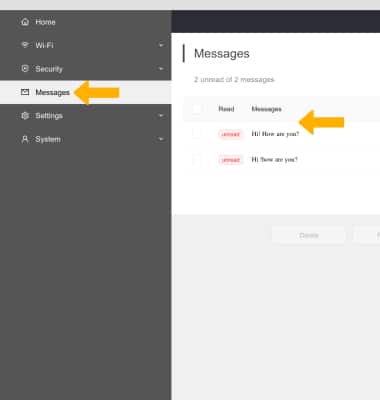
2. Click the Messages drop-down menu on the left side of the screen. Messages will be displayed.
View device information
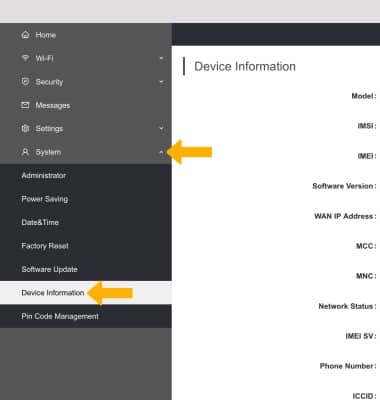
Click the System drop-down menu on the left side of the screen, then click Device Information.
View network information
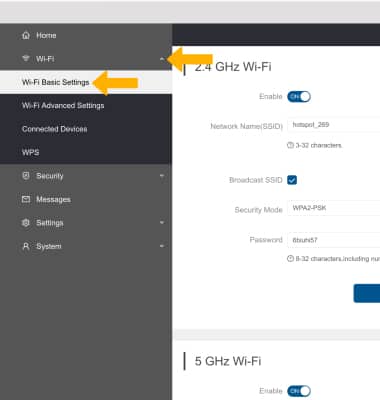
Click the Wi-Fi drop-down menu on the left side of the screen, then click Wi-Fi Basic Settings.