Camera & Video Settings
Manage camera and video settings including storage location, flash, picture size, timer, and more.
In this tutorial, you will learn how to:
• Access camera settings
• Change the picture size
• Turn the flash on or off
• Set a timer
• Access Framing Lines
• Access HDR
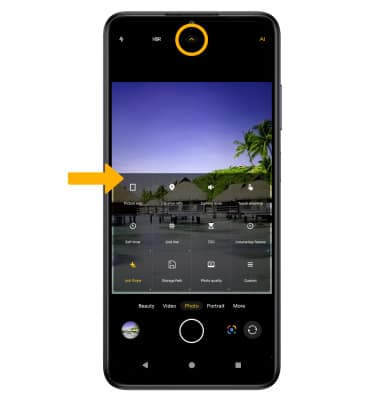
Access camera settings
From the Camera app, select the drop-down icon, then edit Settings as desired.
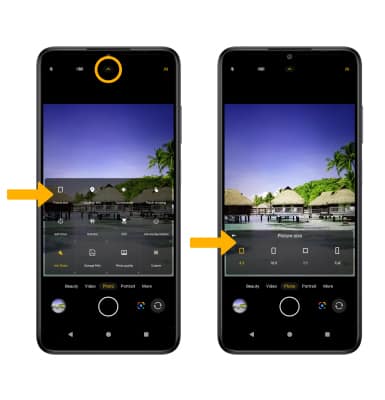
Change the picture size
From the Camera screen, select the drop-down icon, then select Picture size. Select the desired option.
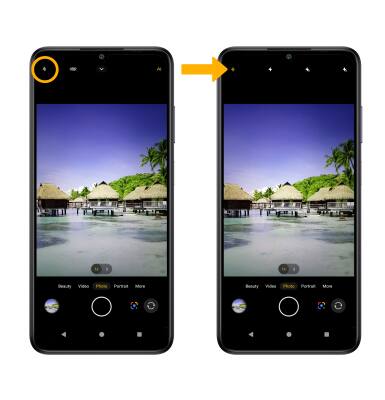
Turn the flash on or off
From the Camera screen, select the Flash icon then select the desired option.
Set a timer
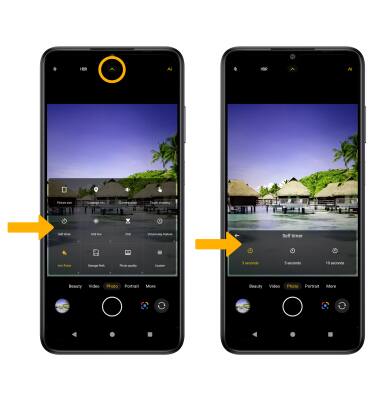
From the Camera screen, select the drop-down icon, then select Self timer. Select the desired time.
Access Framing Lines
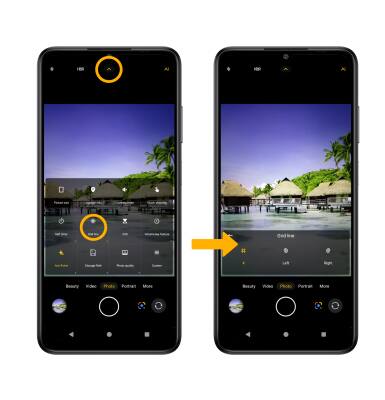
From the Camera screen, select the drop-down icon, then select Grid line. Select the desired option.
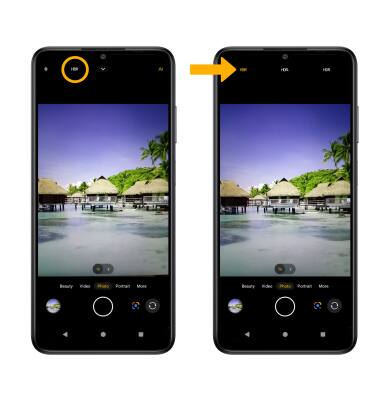
Access HDR
From the Camera screen, select HDR, then select the desired option.