Approved User List
Learn how to use add and remove users.
Approved User List is only available to FirstNet customers.
In this tutorial, you will learn how to:
• Add a user to the Approved User List
• Remove a user from the Approved User List
Add a user to the Approved User List
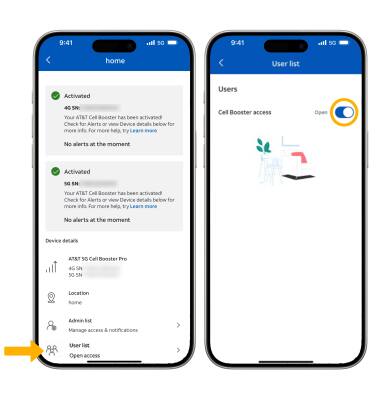
1. From the Device screen in the AT&T Cell Booster mobile app, scroll to and select User list. Select the Cell Booster access switch.
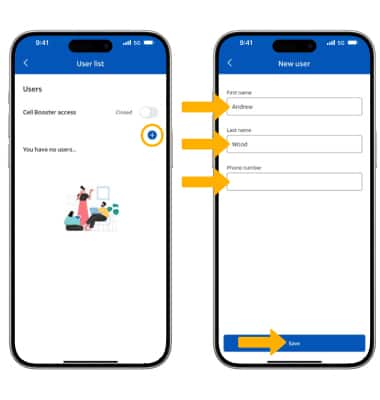
2. Select the Add icon, then enter the u****ser details and select Save.Note: You will need to select OK to confirm.
Remove a user from the Approved User list
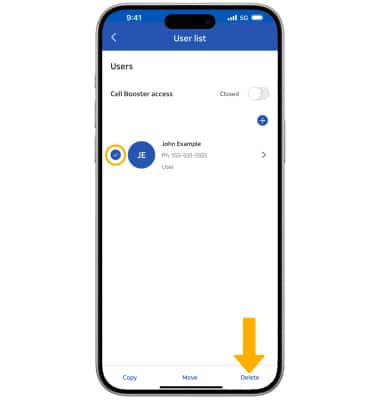
1. From the User list, select the desired user then select Delete.