Secure My Device
In this tutorial, you will learn how to:
• Access forgotten password on management website
• Reset device on management website
Access forgotten password on management website
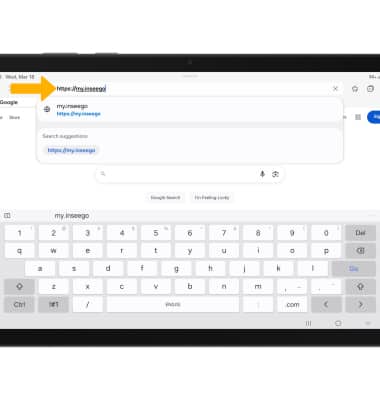
1. From your device's web browser, go to http://my.inseego.
Note: Ensure that your device is connected to the Inseego MiFi PRO M4's Wi-Fi network. For more information, please visit the Connect Devices to Wi-Fi or Connect PC or Mac to Wi-Fi tutorials. If this is your first time logging into the Web admin page, the default password will be displayed on the bottom of your device. You will be prompted to change the admin password.
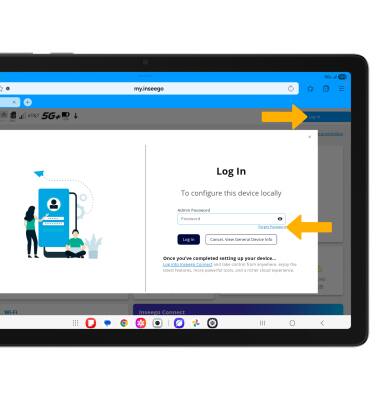
2. If you forgot your password, select Log In at the top right of the screen, then select Forget Password.
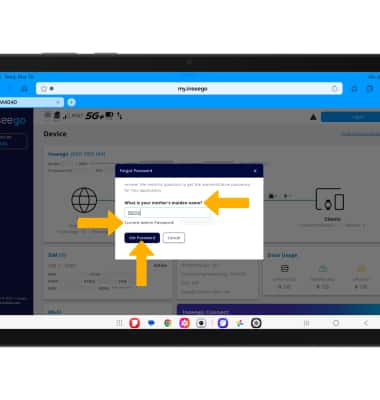
3. Enter in the security question answer, then select Get Password. The password will be displayed.
Reset device on management website
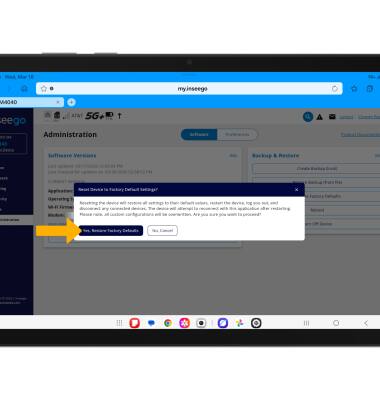
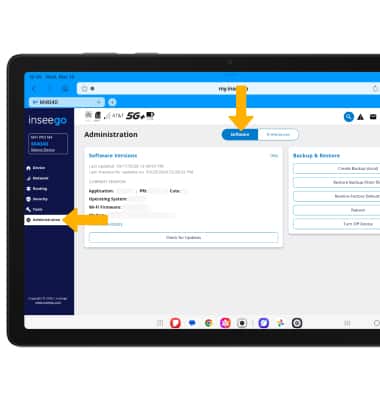
1. To reset your device, select the Administration menu, then select the Software tab.
2. Select Restore Factory Defaults.
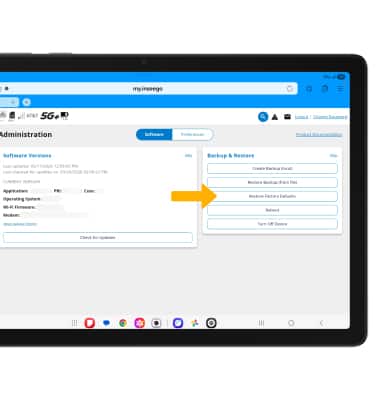
3. Review the Reset Device to Factory Default Settings? prompt, then select Yes, Restore Factory Defaults.