Find IMEI, Phone & Serial Number
In this tutorial, you will learn how to:
• Access device information on management website
• Access device information on device
Access device information on management website
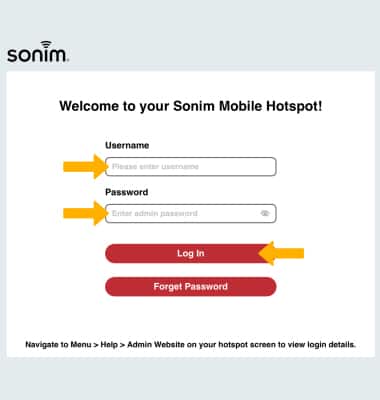
1. From your device's web browser, go to http://sonim.mobilehotspot. Enter your Username and Password, thenclick Log In.
Note: Ensure that your device is connected to the Sonim MegaConnect's Wi-Fi network. For more information, please visit the Connect Devices to Wi-Fi or Connect PC or Mac to Wi-Fi tutorials. If this is your first time logging into the Web admin page, the default password will be displayed on the device. From the home screen, select Menu > Help > Admin Website.
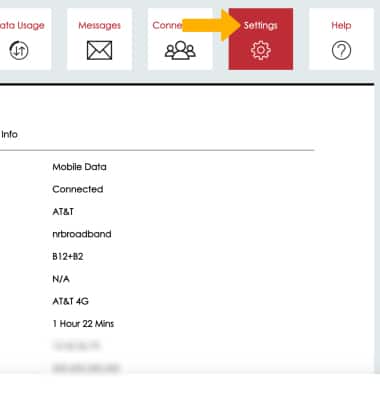
2. Click Settings.
3. Click the About menu.
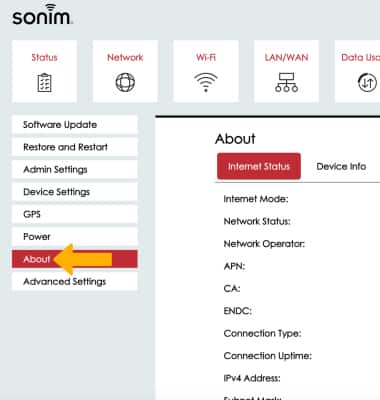
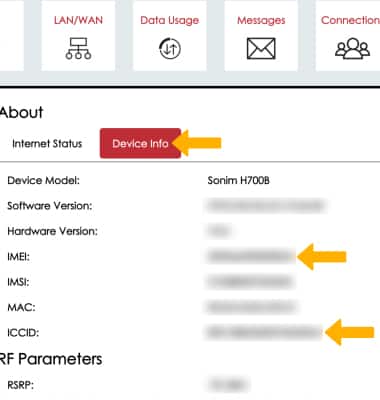
4. Click the Device Info tab. The device's IMEI and ICCID will be displayed.
Access device information on device
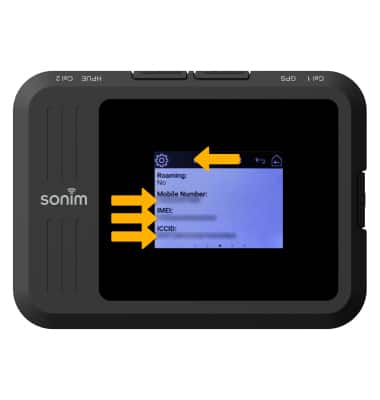
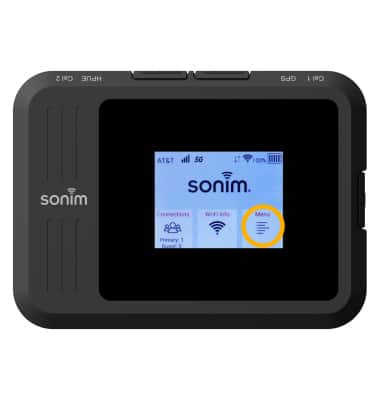
1. Select Menu.
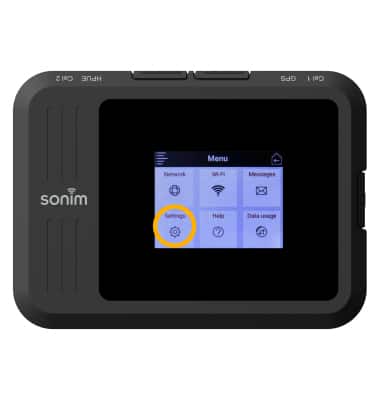
 2. Select Settings.
3. Swipe left, then select About Hotspot.
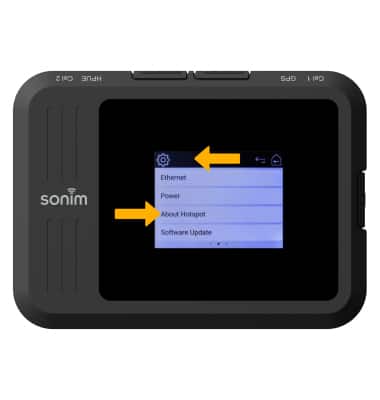
4. Swipe left, and the device's Mobile Number, IMEI, and ICCID will be displayed.