Reset Device
There are multiple ways to reset your device if you are experiencing issues. Power cycling your device is the first step.
In this tutorial, you will learn how to:
• Power cycle your device
• Restart your device
• Reset network settings
• Perform a factory data reset
• Perform an alternate master reset
Power cycle your device
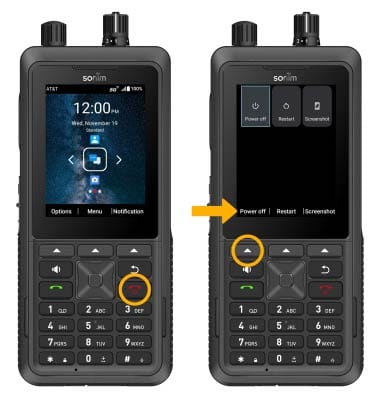
Press and hold the Power/End Call button, then press the Left Dynamic key to select Power off. To turn the device back on, press and hold the Power/End Call button until the screen lights up.
Note: If you are unable to turn your device off, remove and re-insert the battery.
Restart your device
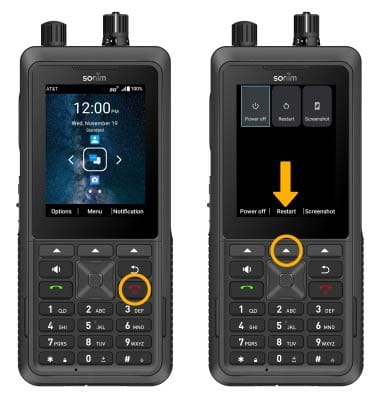
Press and hold the Power/End Call button, then press the Center Dynamic key to select Restart.
Reset network settings
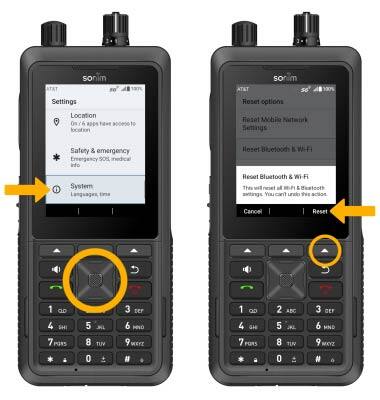
- If you are having connectivity issues, you can try resetting your network settings. From the home screen, press the Center Dynamic key to access the Menu. Press the navigation keys to highlight the
 Settings app, then press the Select button to select.
 - Press the navigation keys then the Select button to navigate to and select System > Reset options > Reset Bluetooth & Wi-Fi. Press the Right Dynamic key to select Reset.
Note: You will be prompted to press the Center Dyamic key again to confirm. Resetting your network settings deletes previously associated Wi-Fi networks, security passcodes, Bluetooth devices and cellular network data settings.
Perform a factory data reset
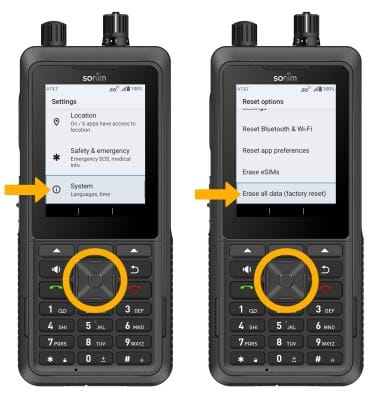
- If a restart does not resolve your issue, you may need to perform a Factory data reset (Master reset). This will erase all data on your device and restore it to factory settings. To Factory data reset your device, from the home screen, press the Center Dynamic key to access the Menu. Press the navigation keys to highlight the Settings app, then press the Select button to select.
- Press the navigation keys then the Select button to navigate to and select System > Reset options > Erase all data (factory reset).
Note: A Factory data reset will revert the device back to factory settings. It will permanently erase all personal data, preferences, settings and content such as pictures, ringtones and apps that are saved to the device. It is recommended that you save (backup) important data before proceeding.
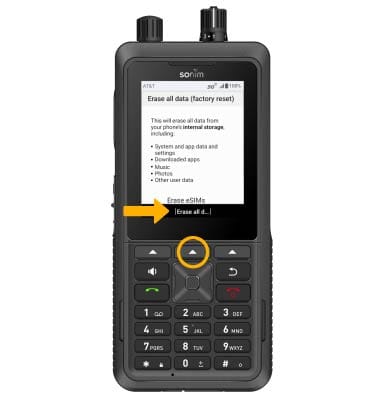
3. Press the Center Dynamic key to select Erase all data.
Note: You will be prompted to press the Center Dynamic key again to confirm.
Perform an alternate reset
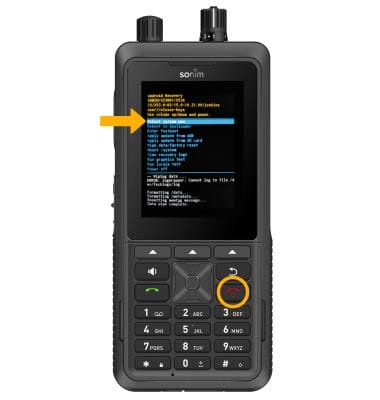
1. If unable to perform the standard ‘Factory data reset’ using the above steps, try the Alternate reset method. With the device powered off, press and hold the Power/End Call button and the Volume Up button simultaneously until the device vibrates then release the Power/End Call button while holding down the Volume Up button. Once the screen lit up, release the Volume Up button.
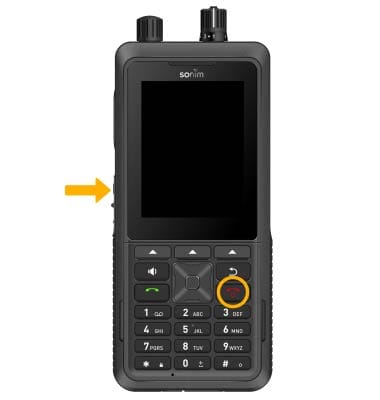
2. From the No command screen, press and hold the Power/End Call button then press and release the Volume Up button.
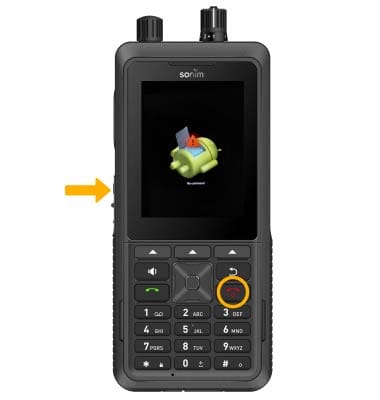
3. Press the Volume Down button to highlight Wipe data/factory reset, then press the Power/End Call button.
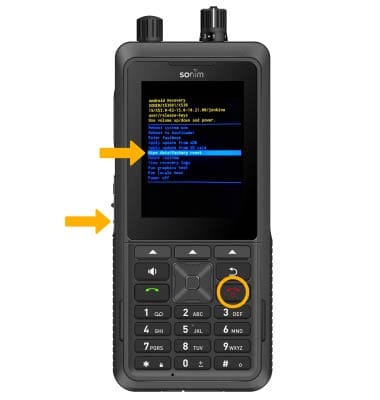
4. Press the Volume Down button to highlight Factory data reset, then press the Power/End Call button.
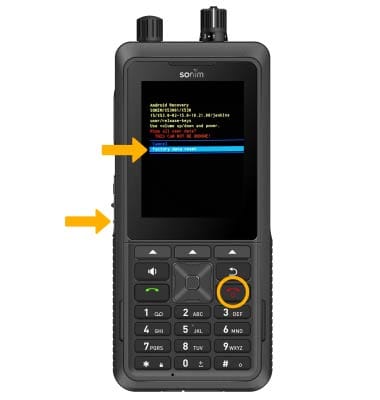
5. Ensure that Roboot system now is highlighted, then press the Power/End Call button.