Notifications & Alerts
In this tutorial, you will learn how to:
• Access notification settings
• Turn notifications on or off on a per-app basis
• Adjust notification sounds
Access notification settings
- Press the Center Dynamic key to access the Menu. Press the navigation keys to highlight the
 Settings app, then press the Select button to select.
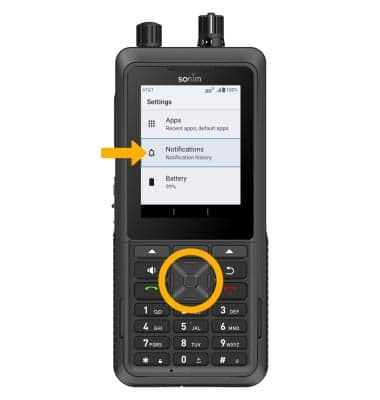
 - Press the navigation keys to highlight Notifications, then press the Select button. Use the navigation keys and the Select button to navigate to and edit notification settings as desired.
Turn notifications on or off on a per-app basis
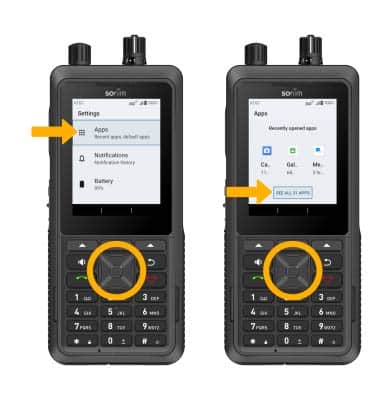
1. From the Settings screen, press the navigation keys to highlight Apps, then press the Select button. Press the navigation keys to highlight SEE ALL APPS, then press the Select button.
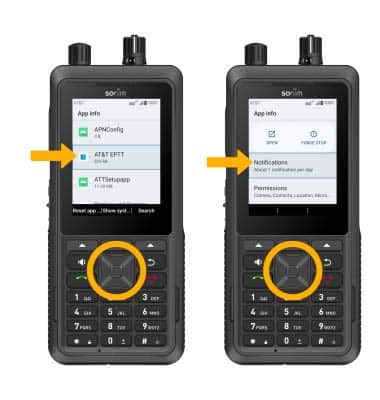
2. Press the navigation keys to navigate to and highlight the desired app then the Select button. Press the navigation keys to navigate to and highlight Notifications,then press the Select button to select.
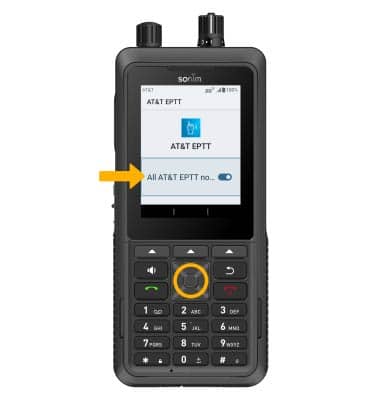
3. Ensure that the app's notification switch is highlighted, then press the Select button to enable or disable notifications.
Adjust notification sounds
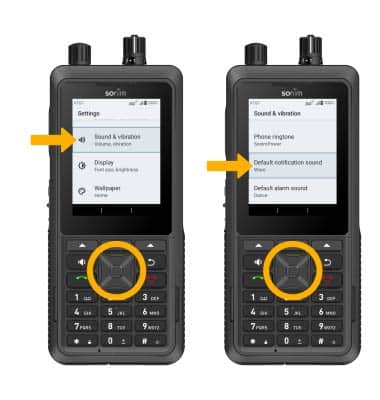
1. From the Settings screen, press the navigation keys to highlight Sounds & vibration, then press the Select button. Press the navigation keys to highlight Default notification sound, then press the Select button.
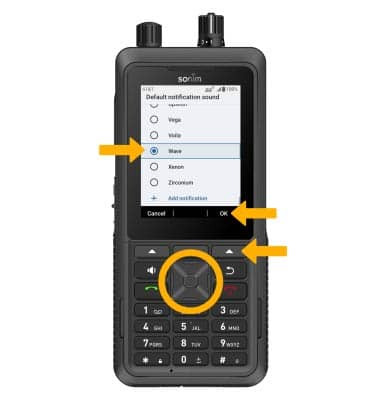
2. Press the up or down navigation keys to highlight the desired notification sound, then press the Select button to select. When finished, press the Right Dynamic key to select OK.