Companion App: Profile Management
Learn how to update your child's profile through the AT&T amiGO™ app.
The AT&T amiGO™ app comes pre-installed on AT&T amiGO™ devices. To pair a smartphone with your AT&T amiGO™ device, you must first install the app on your smartphone. Visit the Download Apps & Games tutorial for instructions on how to download the AT&T amiGO™ app.
In this tutorial, you will learn how to:
• Update child's profile
To access the AT&T amiGO™ app, from the home screen, navigate to and select the  AT&T amiGO™ app.
Update child's profile
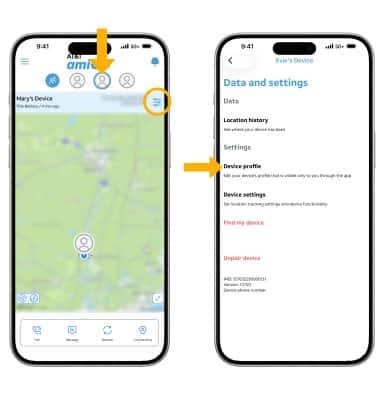
1. From the AT&T amiGO™ app on your smartphone, select the desired device. Select the Settings icon, then select Device profile.
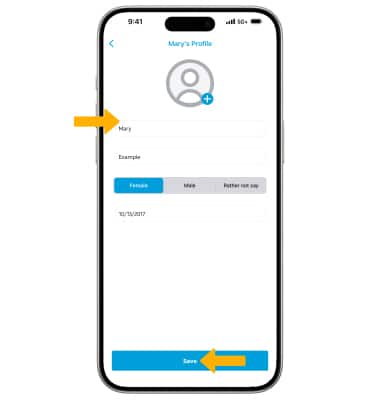
2. Edit profile information as desired, then select Save.