Find My Device
How to find, secure, and erase your device in the event of it being lost or stolen.
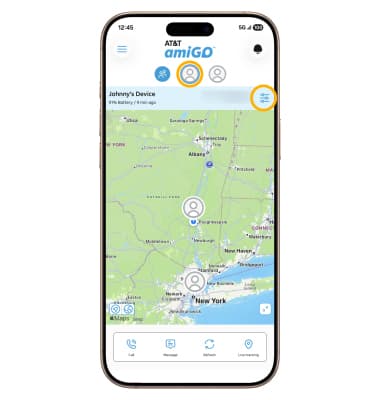
1. From the parent's connected smart phone, navigate to and select the  AT&T amiGO™ app. Select the desired device, then select the Settings icon.
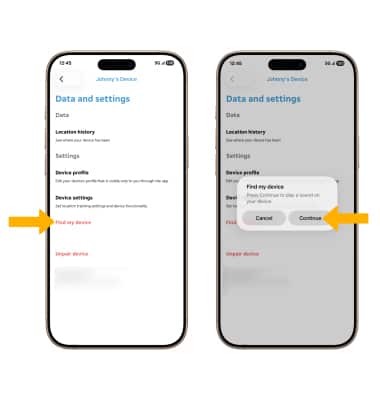
2. Select Find my device, then select Continue.
Note: A sound will play on your phone. Dismiss the notification to silence your phone.