Forgot Web UI Log On
Learn what to do if you forget your access code to Web UI.
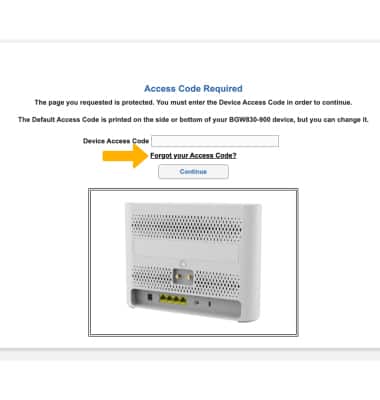
1. If you forget your AT&T BGW830's device access code to Web UI, click Forget your Access code?.
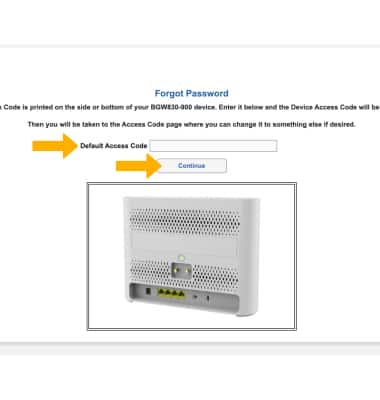
2. Enter your Default Access Code, then click Continue.
Note: Ensure that your device is connected to your AT&T BGW830's Wi-Fi network. For more information, please see the Connect Devices to Wi-Fi or Connect PC or Mac to Wi-Fi tutorials. If this is your first time logging into the Web UI, use the default access code printed on the label on the back of the device.