Wi-Fi Security
In this tutorial, you will learn how to:
• Change Wi-Fi network security
• Set Wi-Fi network password
Change Wi-Fi network security
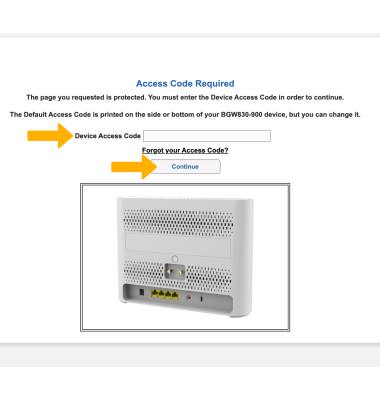
1. From your device’s web browser, go to https://192.168.1.254. Enter your Device Access Code, then click Continue.
Note: Ensure that your device is connected to your AT&T BGW830's Wi-Fi network. For more information, please see the Connect Devices to Wi-Fi or Connect PC or Mac to Wi-Fi tutorials. If this is your first time logging into the Web UI, use the default access code printed on the label on the back of the device.
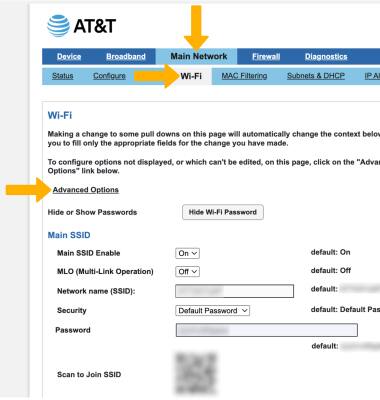
2. Click the Main Network tab, then click Wi-Fi. Click Advanced Options.
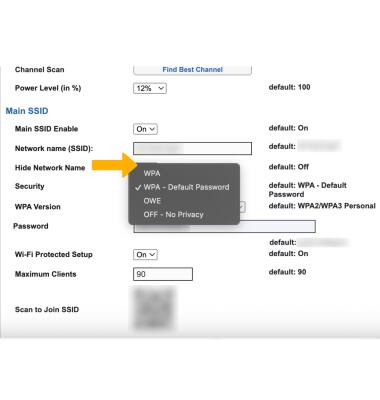
3. Scroll down to Main SSID and click the Security drop-down.
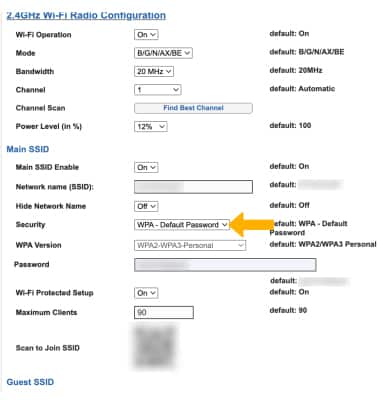
4. Click the desired Wi-Fi Network security option.
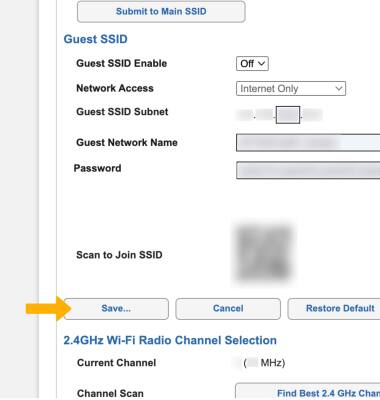
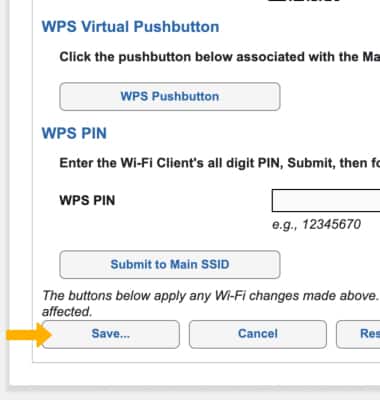
5. When finished, scroll down to and click Save.
Set Wi-Fi network password
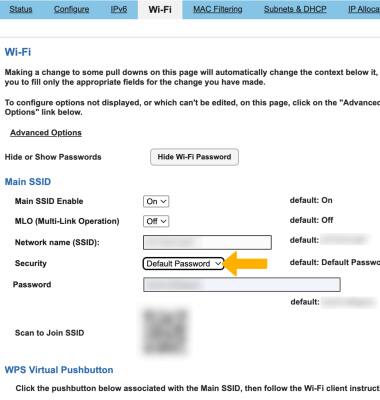
1. From the Wi-Fi screen, click the Security drop-down under Main SSID.
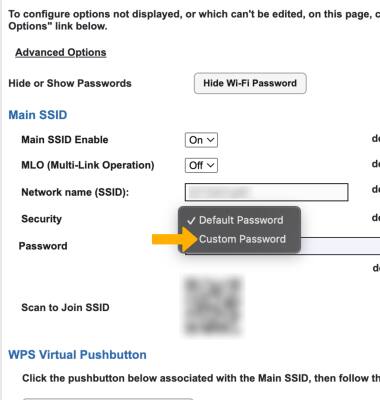
2. Click Custom Password.
3. Enter your new password.
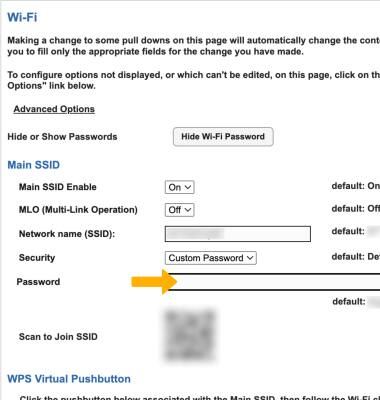
4. Scroll down to and click Save.