Sounds
In this tutorial, you will learn how to:
• Adjust volume
• Activate silent mode
• Access additional volume settings • Change ringtone
Adjust volume
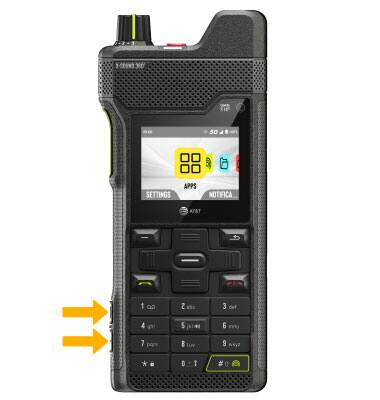
Press the Volume Up or Down buttons located on the left side of the device to adjust the media volume.
Activate silent mode
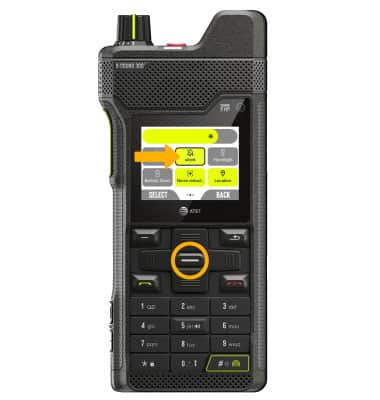
1. From the home screen, press the up navigation key to open Quick Settings. Use the navigation keys to highlight Sound.
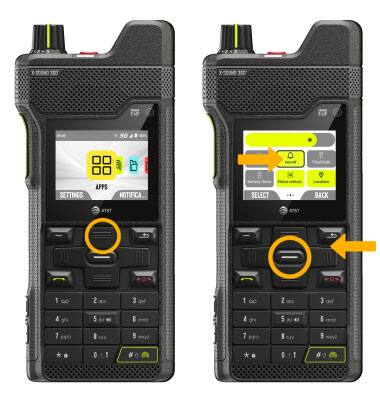
2. Press the Select button to enable Silent.
Note: When Silent mode is active, the  Silent mode icon will be displayed in the Notification bar.
Access additional volume settings
1. From the home screen, press the right navigation key to highlight the  Settings app, then press the Select button to select.
2. Press the navigation keys to highlight Customization, then press the Select button. Press the navigation keys to highlight Sound & vibration, then press the Select button.
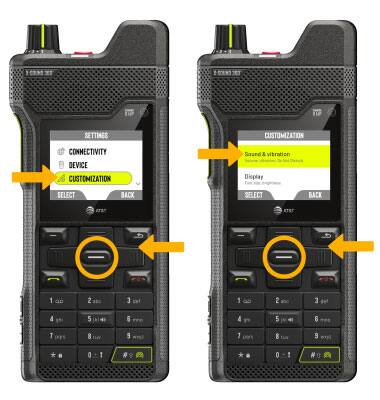
3. Use the n****avigation keys and Select button to edit Sound & Vibration settings as desired.
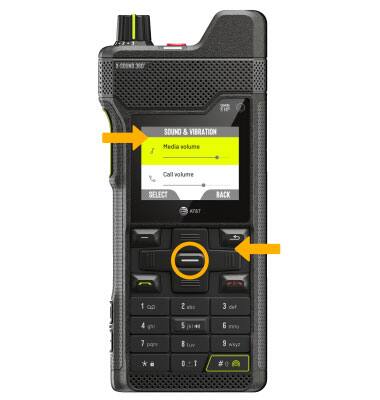
Change ringtone
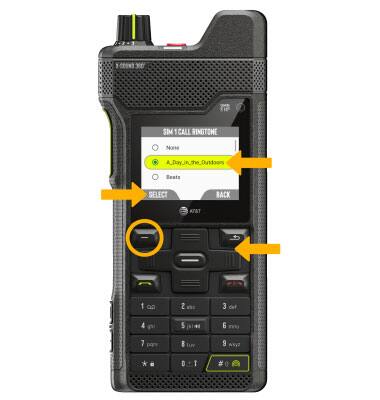
1. From the Sound & Vibration screen, press the navigation keys to highlight the desired SIM call ringtone, then press the Select button.
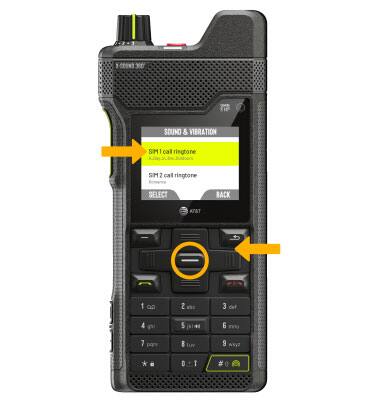
2. Press the navigation keys to highlight the desired ringtone, then press the Left Dynamic key to select Select.