Email Settings
You must have already set up an email account.
This tutorial will cover how to:
• Access the email settings screen
• Change sync frequency
• Change your email signature
• Add additional email accounts
• Delete an email account
• Change your email account password
Access the email settings screen
- From the home screen, select the Google folder, then select the
 G****mail app.
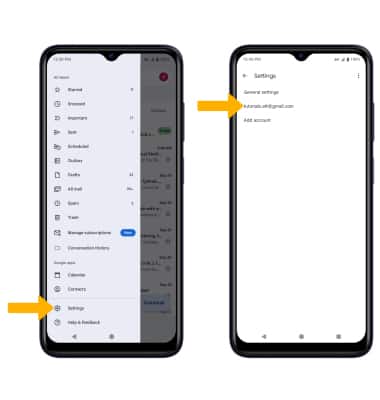
 - Select the
 Menu icon, then scroll to and select Settings. Select the desired account.
Change sync frequency
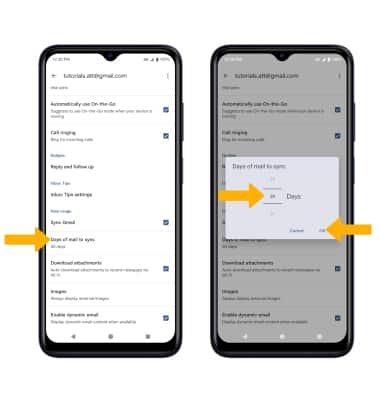
From the Account settings screen, scroll to and select Days of mail to sync. Enter the desired sync preference, then select OK.
Change your email signature
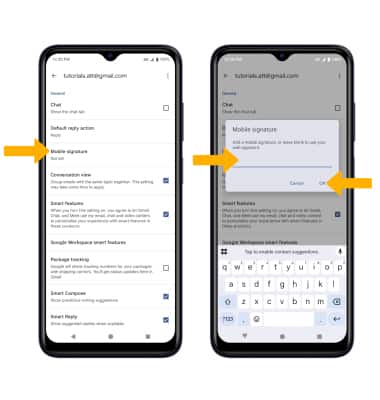
From the Account settings screen, scroll to and select Mobile s****ignature. Enter the desired Signature, then select OK.
Add additional email accounts
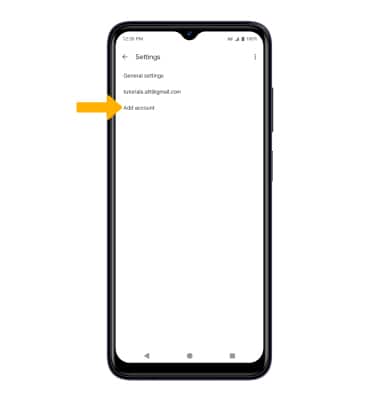
From the Email settings screen, select Add account then follow the on-screen prompts.
Delete an email account
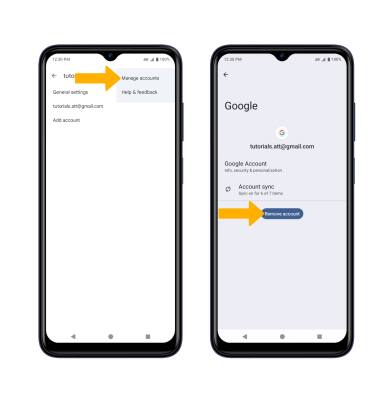
From the Email settings screen, select the  Menu icon then select Manage accounts > desired account > Remove account.
Note: You will be prompted to select Remove account to confirm.
Change your email account password
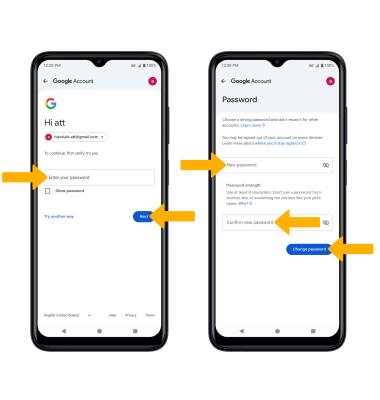
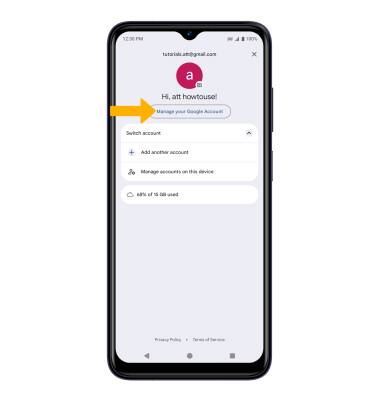
1. Select the Account icon, then select Manage your Google Account.
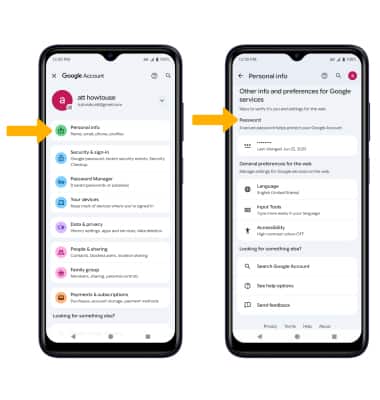
2. Select Personal info, then scroll to and select Password.
3. Enter your password, then select Next. Enter and confirm your new password, then select Change password.