Crash & Fall Detection
Learn how to access and use Fall detection.

In this tutorial, you will learn how to:
• Turn Fall detection on or off
• Edit Fall detection settings
Turn Fall detection on or off
1. From the clock screen press the Digital Crown/Home button then select the  Settings app.
2. Scroll to and select SOS. Select Fall Detection then select the  Fall Detection switch.
Note: Alternately, you can turn on Fall detection from your paired iPhone. To turn on or off, navigate to and select the  Watch app > scroll to and select Emergency SOS > select the Fall Detection switch. Crash detection is enabled automatically. Apple Watch cannot detect all car crashes.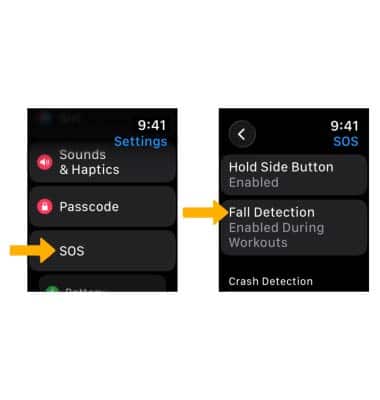
Edit Fall detection settings
From the Fall Detection screen, scroll to and select Always on or Only on during workouts to have Fall Detection on only when you’ve started a workout.