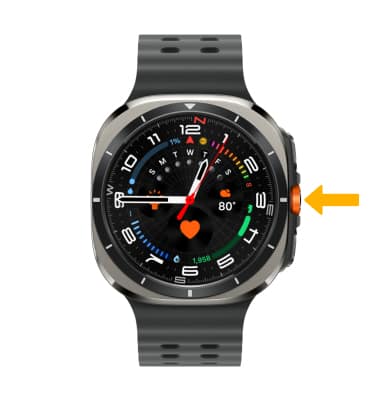
Action Button
Action Button
The customizable Action Button gives quick control over a variety of functions.
In this tutorial, you will learn how to:
• Access Action Button Settings
• Use Action Button
• Activate Siren
Access Action Button Settings
ACCESS ACTION BUTTON: Swipe up from the bottom of the clock screen to access the Apps tray, then scroll to and select the  Settings app..
1. Scroll to and select Buttons and gestures.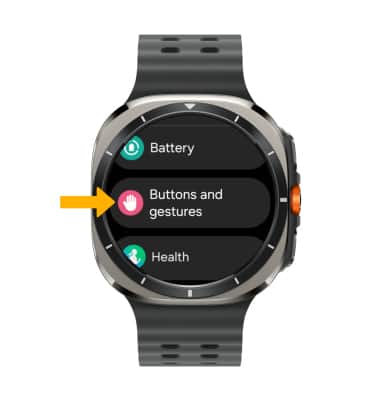
2. Select Action. Edit settings as desired.
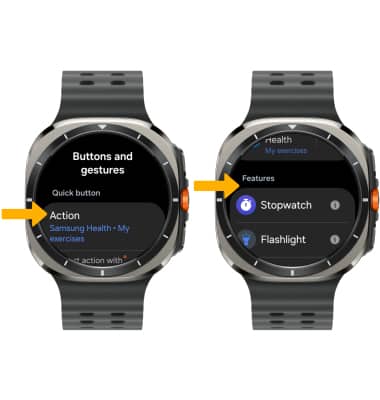
SET ACTION BUTTON: From the Action Button screen, scroll to and select the desired option. 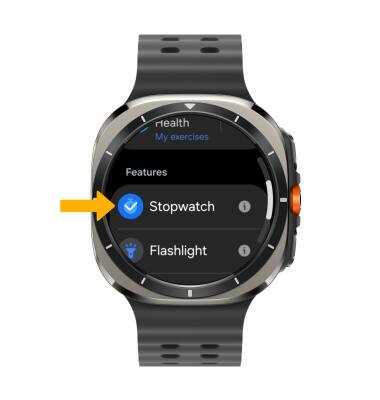
Use Action Button
To use the Action Button at any time, press the Action Button.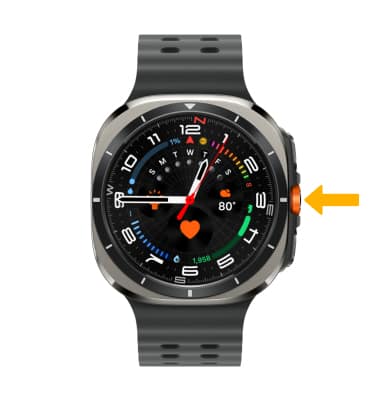
Activate Siren
To activate the siren, press and hold the Action Button.
Note: Siren is enabled by default. To disable Siren, from Action Button settings, select the Siren switch.