Samsung Find
Samsung Find
This tutorial shows how to find your device in the event of it being lost or stolen.
INSTRUCTIONS & INFO
In this tutorial, you will learn how to:
• Locate your connected Samsung device from your watch
• Locate your watch from your connected device
Locate your connected Samsung device from your watch
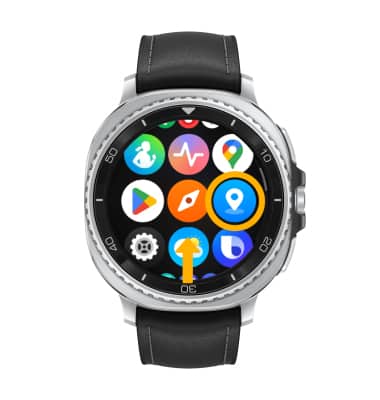
1. From your watch, swipe up from the bottom of the clock screen to access the Apps tray, then scroll to and select the Samsung Find app.
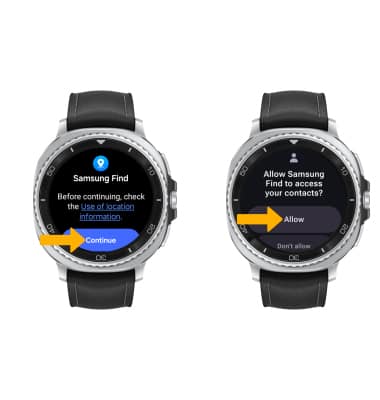
2. Select Continue. Review the Samsung Find permissions, then select Allow.
2. Select Continue. Review the Samsung Find permissions, then select Allow.
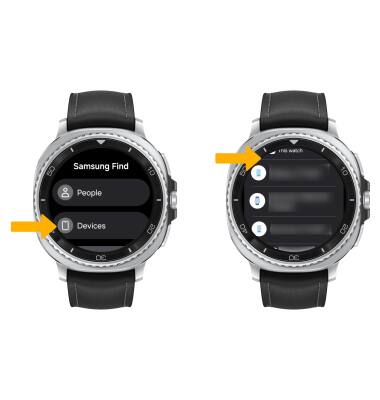
3. Select the desired option to find, then select your paired device.
Note: For this demonstration, Devices was selected.
4. Select the Ring icon.
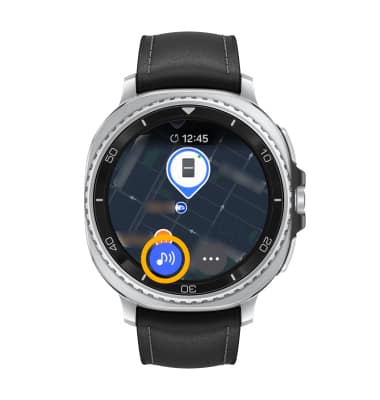
5. Your companion device will ring and vibrate. Select and slide the X icon in any direction when you have found your device.
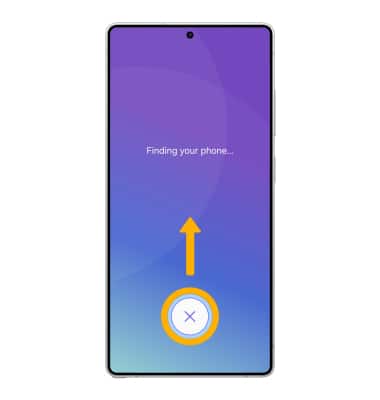
Note: For this demonstration, Devices was selected.
4. Select the Ring icon.
5. Your companion device will ring and vibrate. Select and slide the X icon in any direction when you have found your device.
Locate your watch from your connected device
1. From your paired device, navigate to and select the  Galaxy Wearable app. Select Find My Watch.
Galaxy Wearable app. Select Find My Watch.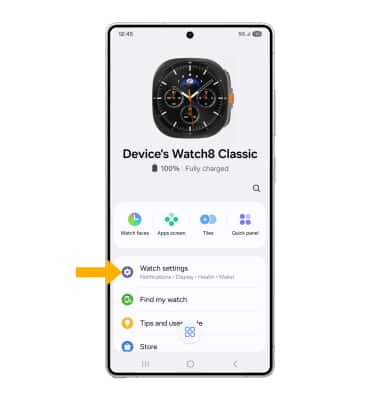
2. Select Continue. Review the Samsung Find permissions, then select Continue.
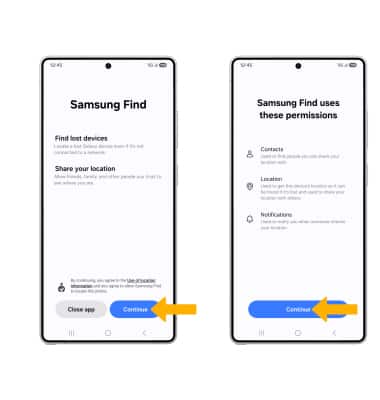
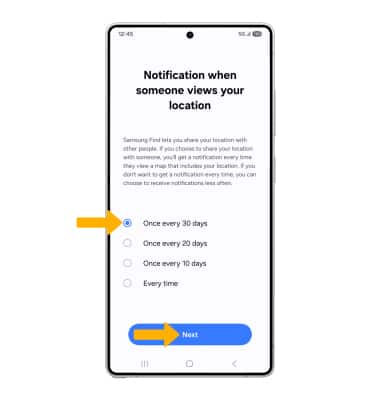
3. Review the Notification when someone views your location prompt. Select the desired notification setting, then select Next.
4. Select the desired device, then select Ring.
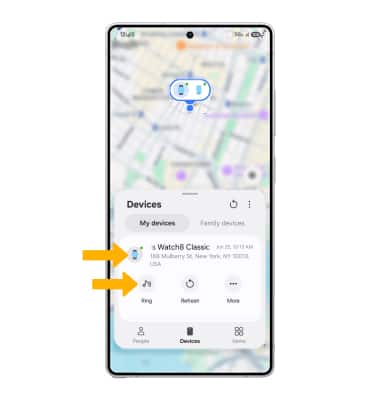
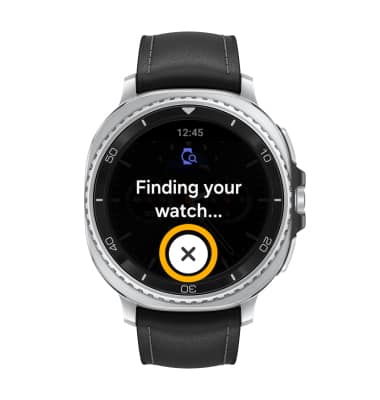
5. Your watch will ring and vibrate. Select the X icon when you have found your device.