Sounds
Change volume settings and ringtones.
In this tutorial, you will learn how to:
• Enable/ disable vibrate mode
• Access additional volume settings
• Change ringtone
Adjust volume
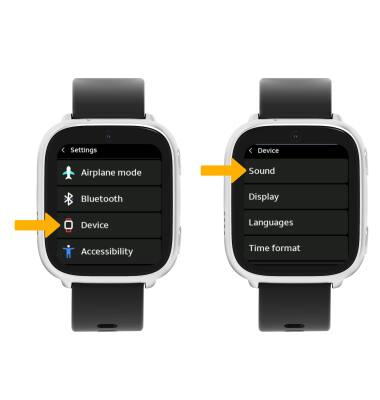
1. From the Clock screen, swipe left four times then select the  Settings app.
2. Scroll to and select Device, then select Sound.
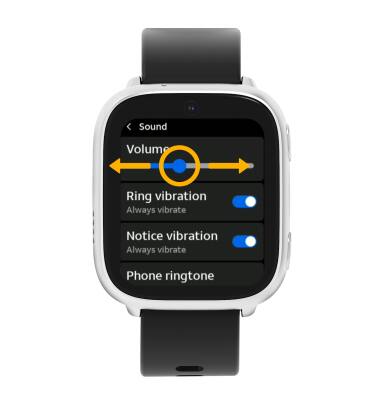
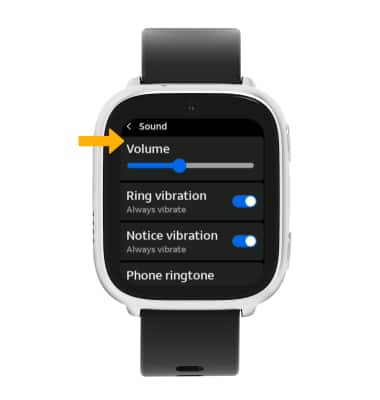
3. Select and drag the Volume slider left or right to adjust the volume as desired.
Note: Select and drag the Volume slider all the way to the left to activate silent mode. When silent mode is enabled, the  Silent mode icon will appear in the notification bar.
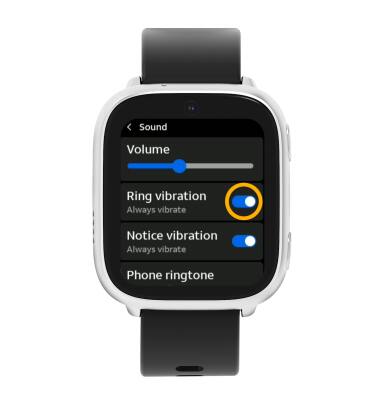
Enable/ disable vibrate mode
From the Sound screen, select the Ring vibration switch to enable or disable ring vibrations as desired.
Access additional volume settings
From the Sound screen, edit sound settings as desired.
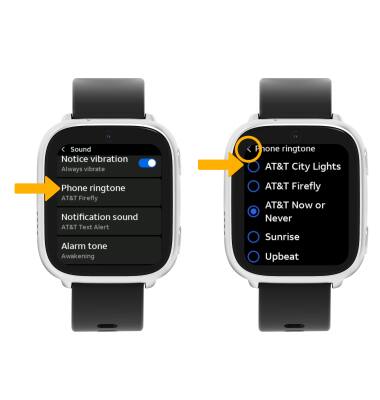
Change ringtone
From the Sound screen, scroll to and select Phone ringtone. Select the desired ringtone, then select the back arrow.