Display
Display
Learn how to change the display brightness, and screen timeout.
INSTRUCTIONS & INFO
In this tutorial, you will learn how to:
• Access and adjust brightness settings
• Change screen timeout
Access and adjust brightness settings
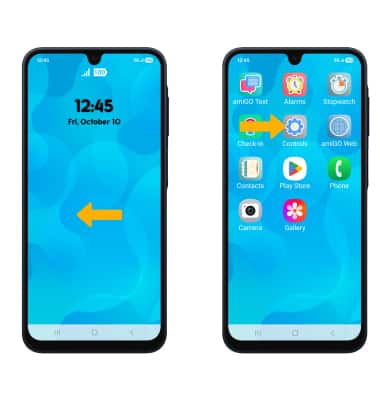
1. From the home screen, swipe left to access the apps tray. Select the Controls app.
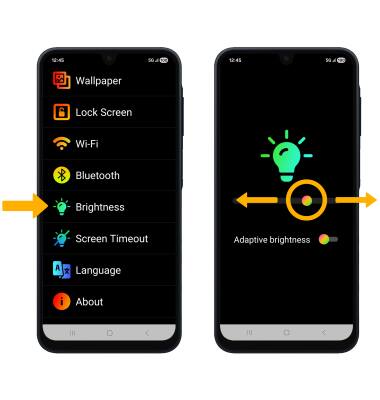
2. Select Brightness, then select and drag the Brightness slider to the desired brightness level.
Change screen timeout
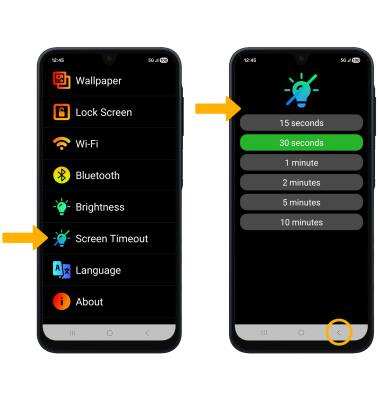
From the Controls screen, select Screen Timeout. Select the desired timeout option, then select the back key.